Quick answer
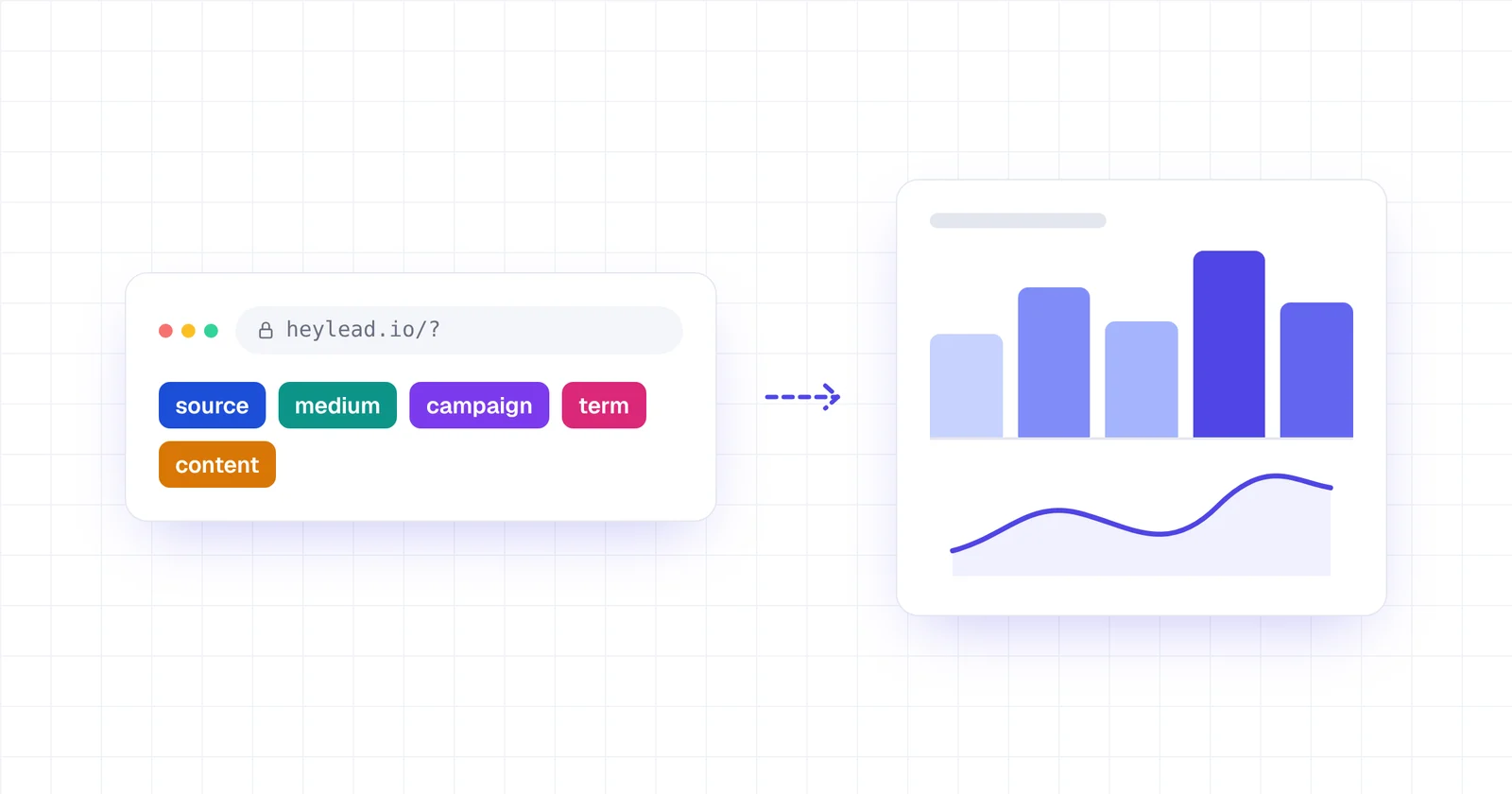
- UTM parameters are five text labels (source, medium, campaign, term, content) you add to the end of a URL to track where traffic comes from.
- UTM parameters are free, and Google Analytics and most analytics tools read them automatically. A CRM only gets them if your form or lead tracker passes them in with the lead.
- Every marketer who runs campaigns, sends emails or posts on social media should use UTM parameters on every link they share.
- A UTM builder tool removes the need to remember parameter names or formatting rules.
- HeyLead Attribution captures UTM parameters automatically with every lead and can send them on to your CRM, so the source isn't lost between the click and the form.
UTM parameters are small text labels added to the end of a URL, such as ?utm_source=google, that record which campaign, channel or link brought each visitor to your website and, more importantly, which ones turned into paying customers. Tagging links this way is called UTM tracking; to see UTMs on every lead automatically, see UTM tracking software.
If you have ever wondered where your website traffic comes from, why some campaigns seem to work while others do not, or how to prove to your boss that the Facebook ad budget was worth it, UTM parameters are the answer. They are free, they take five minutes to learn, and they are the foundation of every serious marketing attribution system.
This guide explains UTM parameters in plain English. No jargon. No marketing analytics textbook required. Just what they are, how they work, how to use them, and a set of examples you can copy today.
What are UTM parameters?
UTM stands for Urchin Tracking Module. The name comes from Urchin Software Corporation, the web analytics company Google acquired in 2005 before building Google Analytics. The "UTM" label stuck, and today these five text tags remain the standard for campaign tracking across every analytics platform.
A UTM parameter is a key-value pair appended to the end of a URL after a question mark. Each parameter tells your analytics tool one specific thing about where the visitor came from and why.
Here is what a URL with UTM parameters looks like:
https://heylead.io/?utm_source=google&utm_medium=cpc&utm_campaign=lead-gen-q4-2026&utm_term=attribution-tool&utm_content=hero-ad
Each piece of that URL after the question mark is a UTM parameter. Together, they tell your analytics tool exactly which ad, on which platform, for which campaign, targeting which keyword, sent this visitor to your site.
Here is the formal definition: UTM parameters are a standardised set of five URL query parameters (utm_source, utm_medium, utm_campaign, utm_term and utm_content) that marketers use to record the source, medium and campaign of website traffic for attribution and reporting.
What do the 5 UTM parameters do?
Every UTM-tagged URL uses the same five parameters. Here is what each one tracks and when to use it.
1. utm_source (required): where did the visitor come from?
This identifies the platform, website or list that sent the traffic. Think of it as the "who."
- google (Google Ads or Google search)
- facebook (Facebook or Instagram)
- linkedin (LinkedIn)
- newsletter (your email newsletter)
- partner-acme (a specific partner website)
2. utm_medium (required): what type of traffic is this?
This identifies the marketing channel format. Think of it as the "how."
- cpc (cost per click, used for paid search)
- paid_social (paid social media ads)
- email (email campaigns)
- organic_social (organic social posts, no ad spend)
- referral (partner or third-party links)
3. utm_campaign (required): which campaign does this link belong to?
This identifies the initiative or promotion the link is part of. Think of it as the "what."
- lead-gen-q4-2026
- black-friday-sale-2026
- product-launch-nov-2026
- webinar-dec-q4
4. utm_term (optional): which keyword or ad group triggered this?
Used mainly for paid search campaigns, to record which keyword the ad was shown for.
- lead-tracking-software
- attribution-tool
- utm-builder
5. utm_content (optional): which version of the ad or link was clicked?
Used to tell apart several links that point to the same URL within the same campaign. Useful for A/B tests and multiple ad placements.
- hero-banner
- sidebar-ad
- cta-button-green
- carousel-slide-1
When all five parameters are tagged correctly, your marketing attribution data becomes clean, comparable and actionable across every channel you run.
How do UTM parameters work?
UTM parameters work by travelling with the link and being read by the tracking tool on your website. Here is the process from click to report.
- You add UTM parameters to a URL. Take your base URL, such as
https://heylead.io/pricing, and add parameters to the end:https://heylead.io/pricing?utm_source=google&utm_medium=cpc&utm_campaign=lead-gen-q4-2026 - A visitor clicks the tagged URL. Their browser loads the page, and the UTM parameters are visible in the address bar.
- Your analytics tool records the parameters. Google Analytics, HubSpot or any connected tool captures the utm_source, utm_medium and utm_campaign values and stores them with the visit.
- The visitor fills in a form or makes a purchase. If your tracking connects visits to leads, the UTM data is attached to the lead or customer record. You now know which campaign, ad and platform sent this customer.
- Your reports show the data. In Google Analytics you can filter by campaign, view traffic by source or compare mediums. In your CRM or lead tracker you can see which leads came from which campaigns and work out real return on ad spend.
The whole process takes milliseconds. UTM parameters don't set cookies themselves. They simply travel with the URL and get recorded by whatever analytics tool is listening.
How do you use UTM parameters, step by step?
Building a UTM-tagged URL takes about 30 seconds once you know the format. Here is the process.
- Start with your base URL. This is the page you want to send traffic to, for example
https://heylead.io/lead-source-tracking - Add a question mark after the URL. The question mark tells the browser that URL parameters are coming next:
https://heylead.io/lead-source-tracking? - Add utm_source first. Write
utm_source=followed by the source name. For a Google Ads campaign:https://heylead.io/lead-source-tracking?utm_source=google - Add utm_medium, separated by an ampersand. Every parameter after the first is separated by
&:https://heylead.io/lead-source-tracking?utm_source=google&utm_medium=cpc - Add utm_campaign.
https://heylead.io/lead-source-tracking?utm_source=google&utm_medium=cpc&utm_campaign=lead-gen-q4-2026 - Add utm_term and utm_content if needed. They are optional but useful for paid search and A/B tests:
https://heylead.io/lead-source-tracking?utm_source=google&utm_medium=cpc&utm_campaign=lead-gen-q4-2026&utm_term=lead-tracking-software&utm_content=hero-banner - Test the link before publishing. Paste the URL into a browser and check the page loads correctly. If it doesn't, look for typos or a missing ampersand.
Alternatively, use the free HeyLead UTM Builder to build tagged URLs without typing parameters by hand. It puts every separator in the right place and only accepts lowercase letters, numbers, hyphens and underscores, so the most common formatting errors can't happen.
UTM parameter examples for every common channel
Here are UTM parameter examples for the most common marketing channels. Each one follows the standard format and is ready to use.
Google Ads example
A paid search campaign promoting your lead tracking product:
- utm_source: google
- utm_medium: cpc
- utm_campaign: lead-gen-q4-2026
- utm_term: lead-tracking-tool
- utm_content: responsive-ad-v2
Full URL: https://heylead.io/lead-tracking?utm_source=google&utm_medium=cpc&utm_campaign=lead-gen-q4-2026&utm_term=lead-tracking-tool&utm_content=responsive-ad-v2
Facebook or Instagram ads example
A paid social campaign promoting your blog post about tracking Facebook ads leads:
- utm_source: facebook
- utm_medium: paid_social
- utm_campaign: blog-promo-q4-2026
- utm_content: carousel-ad-v1
Full URL: https://heylead.io/blog/track-facebook-ads-leads?utm_source=facebook&utm_medium=paid_social&utm_campaign=blog-promo-q4-2026&utm_content=carousel-ad-v1
Email newsletter example
Your weekly newsletter with a link to your no-code lead tracking guide:
- utm_source: newsletter
- utm_medium: email
- utm_campaign: weekly-nov-w2-2026
- utm_content: main-cta
Full URL: https://heylead.io/blog/no-code-lead-tracking?utm_source=newsletter&utm_medium=email&utm_campaign=weekly-nov-w2-2026&utm_content=main-cta
LinkedIn organic post example
An organic LinkedIn post promoting your AI lead tracking guide:
- utm_source: linkedin
- utm_medium: organic_social
- utm_campaign: ai-tracking-series-q4-2026
- utm_content: post-text-only
Full URL: https://heylead.io/blog/track-leads-from-chatgpt?utm_source=linkedin&utm_medium=organic_social&utm_campaign=ai-tracking-series-q4-2026&utm_content=post-text-only
Partner referral example
A partner website linking to your pricing page:
- utm_source: partner-techstart
- utm_medium: referral
- utm_campaign: partner-program-2026
- utm_content: footer-link
Full URL: https://heylead.io/pricing?utm_source=partner-techstart&utm_medium=referral&utm_campaign=partner-program-2026&utm_content=footer-link
Google Business Profile example
Your local business profile linking to your small business solutions page:
- utm_source: gbp
- utm_medium: organic
- utm_campaign: gbp-listing-2026
- utm_content: website-button
Full URL: https://heylead.io/solutions/small-business?utm_source=gbp&utm_medium=organic&utm_campaign=gbp-listing-2026&utm_content=website-button
The profile is free, so the medium is organic. A made-up medium such as local usually lands in an Other channel in analytics tools. Our Google Business Profile guide covers the full setup.
UTM naming conventions: how do you keep your data clean?
The biggest mistake marketers make with UTM tracking is not using parameters at all. The second biggest is using them inconsistently.
If one person on your team writes facebook, another writes Facebook and a third writes FB, your analytics report shows three separate sources instead of one. Your campaign data becomes unreliable and your reporting breaks.
This is why UTM naming conventions exist. A naming convention is a documented set of rules that defines exactly how your team names each parameter. It covers:
- What values to use for each source (always lowercase, always
facebook, neverFB) - What values to use for each medium (always
cpcfor paid search, alwayspaid_socialfor paid social) - What format to use for campaign names (we recommend topic, quarter, year, such as
lead-gen-q4-2026) - How to handle dates, abbreviations and special characters
The core rules are simple:
- Always use lowercase
- Use hyphens between words in campaign and content names, never spaces, and keep standard medium values like
paid_socialexactly as written - Keep names under 30 characters
- Build a predefined list of approved source and medium values
- Never tag internal links (links between pages on your own site)
- Audit your parameters monthly for duplicates and inconsistencies
For a full breakdown with copy-paste templates, read our dedicated guide on UTM naming conventions.
Is UTM tracking free?
Yes. UTM tracking is completely free, and there is no paid version. UTM parameters are a widely supported convention that started with Urchin and Google Analytics and is now read by every major analytics platform, including Google Analytics, HubSpot, Mixpanel, Segment and many others.
You do not need to pay for a tool to use UTM parameters. You can build tagged URLs by hand in a text editor. A UTM builder like the HeyLead UTM Builder simply saves time and prevents formatting errors.
What is not always free is the platform that reads the UTM data. Google Analytics 4 is free for most use cases. HubSpot has a free CRM tier. Salesforce requires a paid licence. But the UTM parameters themselves cost nothing.
What is a UTM builder, and why use one?
A UTM builder is a tool that generates UTM-tagged URLs for you. Instead of typing each parameter and worrying about ampersands, question marks and URL encoding, you fill in a form and the builder creates the complete URL.
Depending on the builder, it can:
- Put every question mark and ampersand in the right place
- Check values as you type, for example rejecting capital letters and spaces
- Offer dropdowns of approved source and medium values, or save campaigns for reuse
- Give you a copy-ready URL to paste into your ad platform, email or social post
The HeyLead UTM Builder is a free UTM link builder that follows the naming conventions in this guide. It only accepts lowercase letters, numbers, hyphens and underscores, which prevents the most common mistakes: spaces, capital letters and missing ampersands.
If your team builds more than a handful of tagged URLs a week, a UTM builder is not optional. It is essential for keeping your URL tracking data consistent.
UTM best practices for 2026
These UTM tracking best practices apply whether you are a solo marketer or part of a 50-person team.
- Tag every external link. Every link you share outside your own website should have UTM parameters. This includes paid ads, email campaigns, social posts, partner links and the link on your Google Business Profile.
- Never tag internal links. UTM parameters on links between pages of your own site create false data. Analytics tools record that internal click as a new campaign visit, which inflates your numbers and hides the real source.
- Use one format for campaign names. Pick a format and stick to it across all channels. Topic, quarter, year sorts naturally in reports and is easy to read.
- Build predefined lists for source and medium. Your team should never guess what to put in utm_source or utm_medium. Create an approved list and share it. If a value is not on the list, it is not used.
- Audit monthly. Check your campaign reports for new values that do not match your approved list. Fix duplicates and inconsistencies before they pile up across quarters.
- Connect UTM data to your leads and CRM. UTM parameters are only useful if you can see them next to your leads and customers. HeyLead Attribution captures UTM data automatically with every lead and can send it to your CRM, so sales and marketing see the same source.
- Track first touch and last touch. Keep both the UTM parameters a visitor first arrived with and the last set before they converted. That shows which campaign attracted them and which one closed the deal; see first touch vs last touch.
- Avoid special characters. Stick to lowercase letters, numbers and hyphens. Ampersands inside values, percent signs and plus symbols can break the URL and corrupt your tracking data.
How do you view UTM data in Google Analytics?
Once your tagged URLs are live and sending traffic, here is how to see the data in Google Analytics 4.
| What you want to see | Where to find it in GA4 |
|---|---|
| Traffic by source | Reports → Acquisition → Traffic acquisition, then set the dimension to Session source |
| Traffic by medium | The same report, with the dimension set to Session medium |
| Traffic by campaign | The same report, with the dimension set to Session campaign |
| Keyword and ad versions | The Session manual term and Session manual ad content dimensions (utm_term, utm_content) |
Tip: if your campaign names are long or confusing in the report, your naming convention needs work. Clean names like lead-gen-q4-2026 are readable. Names like TheBigLeadGenCampaignForQ42026AcrossAllChannels are not.
Google Analytics shows traffic and conversions in total. To see the source on each named lead, and which campaigns brought paying customers, you need lead-level tracking. Our HeyLead vs Google Analytics comparison explains when you need each.
How does HeyLead Attribution capture UTM parameters automatically?
Setting up UTM tracking on the link side is only half the job. The other half is capturing that data when visitors convert.
Most tools ask you to map UTM parameters to hidden fields in every form, which breaks quietly when someone adds a new form or redesigns a page. If the capture breaks, your naming convention does not matter, because the data never reaches your CRM.
HeyLead Attribution solves the capture problem:
- Automatic UTM capture: UTM parameters are captured when the visitor arrives, not when the form is sent, and kept across pages and return visits. No hidden fields to configure.
- Automatic lead source tracking: every lead that fills in a form on your website gets the full UTM set (source, medium, campaign, term and content) attached automatically.
- Leads in your CRM: send each lead and its source to HubSpot, Salesforce, Zoho CRM, Pipedrive or any other tool through Zapier or webhooks. See HeyLead integrations.
- First touch and last touch: HeyLead keeps the UTM parameters a visitor first arrived with and the last set before they converted, plus every visit in between.
- AI lead tracking: HeyLead also tracks leads from AI assistants like ChatGPT and Perplexity, which often send visitors without full UTM tags. Learn more about AI lead tracking.
Setup takes about five minutes: install the WordPress plugin or one script tag, and every tagged link you share from then on shows up against the leads it brings. No code and no hidden fields.
Related guides
- UTM naming conventions: a simple system for small teams
- What is lead source tracking? A plain-English guide
- Why your CRM says "Direct", and how to fix it
- First touch vs last touch: which should a small business use?
- How to see which leads come from ChatGPT and other AI assistants
- Track where your leads come from without writing code
Frequently asked questions
What is a UTM tracking system?
A UTM tracking system is the combination of UTM parameters added to URLs, an analytics platform that reads those parameters (like Google Analytics), and a process for consistently naming and tagging every marketing link. Together, these components let you track exactly which campaign, channel and link drove each visitor and conversion.
What does UTM stand for?
UTM stands for Urchin Tracking Module. The name comes from Urchin Software Corporation, a web analytics company Google acquired in 2005 before building Google Analytics. The UTM parameters that came from it are still the standard way to tag campaign links today.
What are the 5 UTM parameters?
The five UTM parameters are: utm_source (where the traffic came from), utm_medium (the type of traffic), utm_campaign (the specific campaign name), utm_term (the keyword or ad group, used for paid search), and utm_content (which specific version of the ad or link was clicked). The first three should be on every tagged link. The last two are optional.
How do UTM parameters work?
UTM parameters work by appending key-value pairs to the end of a URL. When a visitor clicks the tagged URL, the analytics or lead tracking tool on your site reads the parameters and records them with the visit. If the visitor converts, the UTM data is attached to the lead or customer record so you can trace the conversion back to its source.
Is UTM tracking free?
Yes, UTM tracking is completely free. UTM parameters are a widely supported convention that every major analytics platform reads. Google Analytics 4, which reads UTM data, is also free for most use cases. You do not need to pay for any tool to use UTM parameters.
Is UTM tracking still used in 2026?
Yes. UTM tracking is still the standard for campaign tracking in 2026. Every major ad platform, email tool and analytics system supports UTM parameters. Newer methods exist, such as ad click IDs and AI referral detection, but UTM parameters remain the foundation of marketing attribution.
What is a UTM builder?
A UTM builder is a tool that generates UTM-tagged URLs automatically. Instead of manually typing each parameter, you fill in a form with your source, medium, campaign and other values, and the builder creates a correctly formatted URL. The HeyLead UTM Builder is a free example.
How do I create UTM tags for Google Analytics?
Start with your base URL and add a question mark. Then add utm_source=your-source, utm_medium=your-medium and utm_campaign=your-campaign, separated by ampersands. Use lowercase and predefined values for source and medium. Or use the free UTM Builder to generate the URL automatically.
How do I set up UTM parameters?
Decide on your naming convention first. Create approved lists for utm_source and utm_medium values and choose a campaign naming format. Then add the parameters to every external link you share, use a UTM builder to prevent formatting errors, and document your convention in a shared spreadsheet so your whole team follows the same rules.
How do I build a UTM code?
A "UTM code" is simply a URL with UTM parameters appended. Take your base URL, add a question mark, then add utm_source=value, utm_medium=value and utm_campaign=value separated by ampersands. Optionally add utm_term=value and utm_content=value. The result is your complete UTM-tagged URL.