Quick answer
- To see which Google Ads keywords bring customers, add
utm_term={keyword}and your other UTM tags to the final URL suffix, then use a tracker that saves those tags with each form submission. - Auto-tagging adds a gclid that identifies the click to Google, but your website can't read the keyword from it.
- The
{keyword}value is the keyword in your account that matched the search, not the exact words typed; the Search terms report in Google Ads shows the real queries. - Campaigns without keywords, such as Performance Max, have no keyword to pass, so judge them at campaign level.
- Mark which leads become customers, then divide each keyword's cost from Google Ads by its customers to get cost per customer.
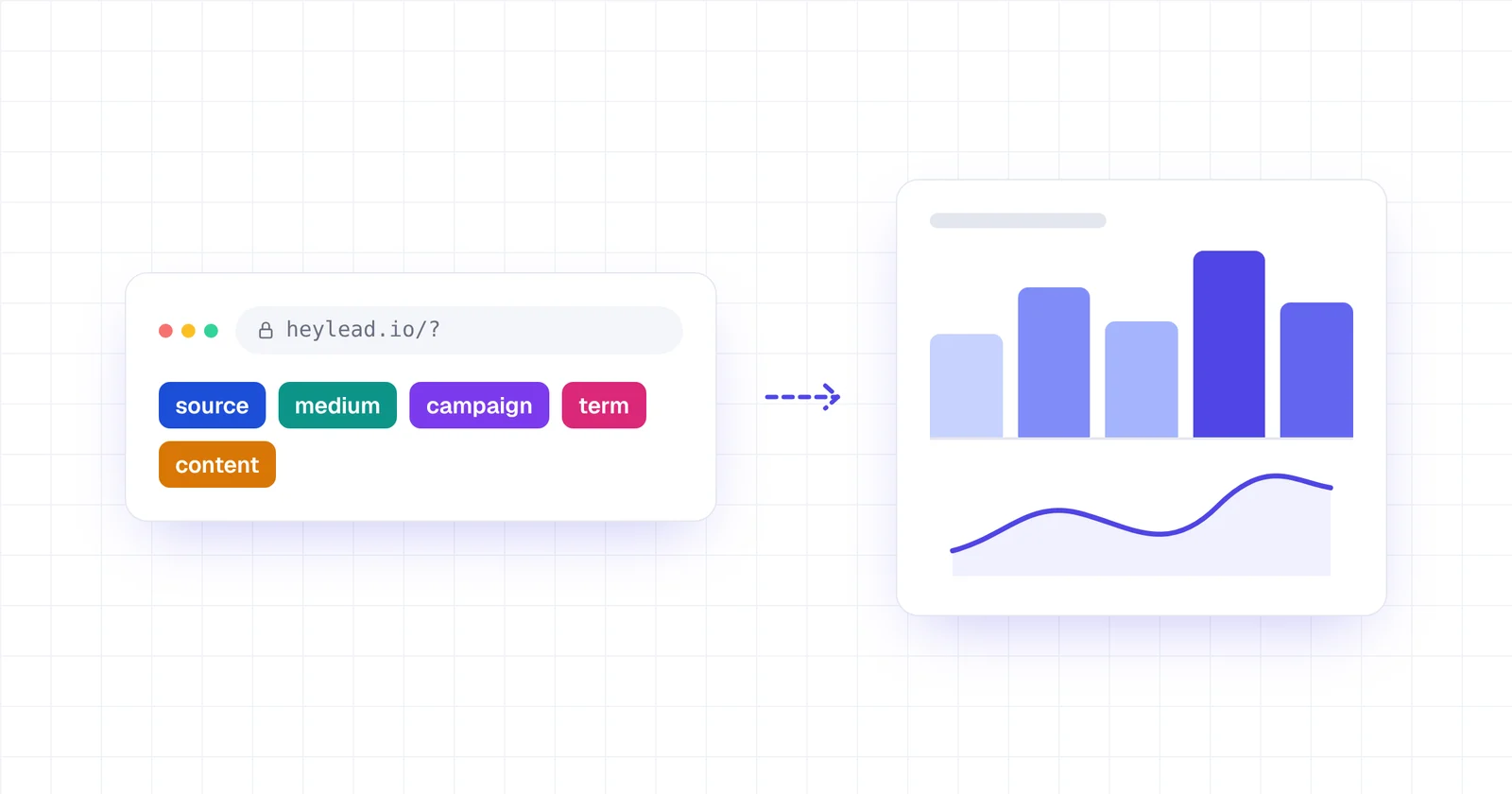
To see which Google Ads keywords bring customers, add the keyword to every ad click with a ValueTrack parameter such as utm_term={keyword} in your final URL suffix. Then use a tracker that saves that tag with each form submission. Each lead then shows the campaign and keyword that brought it, and you can follow it to the sale.
Google Ads tells you how many clicks and conversions each keyword got. It doesn't tell you that the person who asked for a quote on Tuesday and booked a job on Friday came from "emergency plumber". That gap is why so many small businesses keep paying for keywords that bring enquiries but rarely bring customers.
Why don't Google Ads and your lead list agree?
Google Ads and your lead list disagree because each one sees a different part of the journey. Google Ads sees the search, the click and any conversion it can link back to that click. Your website and CRM see the person who filled in the form. Unless something carries the keyword from one to the other, the two never meet.
A few things make the gap wider:
- No keyword on the click: by default, the landing page address carries only a click ID, not the keyword. Your lead form has nothing readable to save.
- People come back later: someone clicks an ad on Monday, then returns on Thursday by typing your address. Without first-touch tracking, the lead looks like Direct.
- Different counting rules: Google Ads may count a conversion your site never linked to a named lead, or credit a click you'd credit to email or a referral.
The result is familiar. In a typical example, Google Ads reports 40 conversions for the month, the inbox holds 31 enquiries, and nobody can say which keywords brought the eight jobs that paid. Our guide on why your CRM says Direct explains the wider version of this problem across every channel.
What does Google Ads auto-tagging tell your website?
Google Ads auto-tagging tells your website that a visit came from a Google ad click, but nothing your website can read about which keyword or campaign. Auto-tagging is a Google Ads setting that adds a click ID to the end of your landing page address whenever someone clicks an ad. It's switched on by default in most accounts.
A gclid (Google click identifier) is that click ID: a long, unique code such as gclid=Cj0KCQ.... Google can look it up to find the campaign, keyword and time of the click. Your website can't. The code is meaningless outside Google's systems, so a website tracker or form tool sees only that a Google ad was clicked.
On some iPhone and app traffic, Google uses two related click IDs, gbraid and wbraid, instead of a gclid. They work the same way from your website's point of view: they prove the click was a Google ad, and nothing more.
Auto-tagging still matters. It lets a tracker label the visit Paid Search rather than Organic Search, and GA4 and Google Ads conversion tracking use the gclid to match outcomes to clicks. What it doesn't give you is the keyword or campaign name on a lead. That's the job of UTM tags, added next to auto-tagging, not instead of it.
How do you add the keyword to your Google Ads links?
You add the keyword to your Google Ads links with a final URL suffix that contains UTM tags and ValueTrack parameters. A final URL suffix is a set of parameters Google Ads adds to the end of your landing page address on every click. Set it once at account level and it covers every ad, keyword and campaign below it.
A ValueTrack parameter is a placeholder in curly brackets that Google Ads replaces with real information at the moment of the click. For example, {keyword} becomes emergency plumber, and {device} becomes m for mobile. A UTM parameter is a name and value pair, such as utm_term=emergency plumber, that trackers read when someone lands on your page.
Here's a suffix for a campaign called emergency-plumber:
utm_source=google&utm_medium=cpc&utm_campaign=emergency-plumber&utm_term={keyword}&utm_content={creative}
At account level, the campaign name would be wrong for every other campaign, so use utm_campaign={campaignid} there instead (more on campaign names below). To set the account-level suffix:
- Sign in to Google Ads and open your account settings (in the Admin area).
- Find the Tracking section.
- Paste your suffix into Final URL suffix. Don't add a question mark at the start; Google adds it.
- Save. The suffix now applies to every campaign that doesn't have its own.
Google moves menus around from time to time, so if the names differ, search Google Ads help for "final URL suffix". The suffix can also be set at campaign, ad group, ad and keyword level. The most specific level wins and replaces the one above it completely, rather than adding to it.
Which ValueTrack parameters are worth adding?
The ValueTrack parameters worth adding are the ones that answer a question you'll actually ask: which keyword, which match type, which device and which ad. Each one makes the address a little longer, so add the few you'll use and skip the rest.
| ValueTrack parameter | What Google Ads fills in | Suggested UTM or parameter |
|---|---|---|
{keyword} | The keyword in your account that matched the search | utm_term |
{matchtype} | The match type of that keyword: e exact, p phrase, b broad | An extra parameter, match |
{device} | The device: m mobile, t tablet, c computer | An extra parameter, device |
{network} | Where the ad ran, such as g for Google search, s search partners, d Display | An extra parameter, network |
{campaignid} | The campaign's numeric ID | utm_campaign if you use IDs |
{adgroupid} | The ad group's numeric ID | An extra parameter, adgroup |
{creative} | The ad's numeric ID, so you can compare ads | utm_content |
To add extras, append them to the suffix, such as &match={matchtype}&device={device}. They aren't standard UTM tags, so most lead trackers and CRMs won't store them in a named field.
How do you get the campaign name into the tags?
You get the campaign name into the tags by setting a final URL suffix on each campaign with the name typed in. Google Ads has no ValueTrack parameter for the campaign name, only {campaignid}, which passes a number. You choose between readable names and automatic IDs.
- Campaign-level suffix with the name: open each campaign's settings, find the campaign URL options and paste a suffix with
utm_campaign=emergency-plumbertyped in. Reports are easy to read, but you must remember to set it on every new campaign. - Account-level suffix with the ID: use
utm_campaign={campaignid}once at account level. Every campaign is covered automatically, but reports show numbers like1234567890that you have to look up.
Because a campaign suffix replaces the account suffix, copy the whole set of tags into it, not just the campaign name. Write campaign names in lowercase with hyphens, such as emergency-plumber or boiler-repair-winter, so they look the same in every tool. Our UTM naming convention guide gives a scheme you can copy, and the free UTM builder builds a tagged link for testing.
Can you track Microsoft Ads the same way?
You can track Microsoft Ads the same way, with UTM tags and a keyword parameter in its own final URL suffix. Microsoft Ads (formerly Bing Ads) has its own auto-tagging, which adds an msclkid click ID instead of a gclid. It also supports a {keyword}-style parameter, though the exact names and options are worth checking in Microsoft Ads' own documentation.
Use utm_source=bing and the same utm_medium=cpc and campaign names you use on Google. If you imported your Google campaigns into Microsoft Ads, check that the suffix came across and that utm_source doesn't still say google.
What is the difference between a keyword and a search term?
A keyword is the word or phrase you bid on in Google Ads, while a search term is what the person actually typed. The {keyword} ValueTrack parameter passes the keyword that matched, not the search term. So a lead tagged "emergency plumber" may have searched "plumber open now near me".
| Term | What it means | Where you see it |
|---|---|---|
| Keyword | The word or phrase you added to an ad group and bid on | {keyword} in your tags; the Keywords page |
| Search term | The exact words someone typed into Google | The Search terms report in Google Ads |
| Match type | How closely a search must match your keyword to show your ad | {matchtype}; the keyword's settings |
| Negative keyword | A word you exclude so your ad doesn't show for searches with it | Your negative keyword lists |
A match type is the rule Google uses to decide which searches can trigger a keyword. Exact match shows your ad for searches with the same meaning as the keyword. Phrase match allows searches that include the meaning of your keyword. Broad match allows related searches, which can be much wider than you expect.
That's why the per-lead keyword and the Search terms report work together. The keyword on the lead tells you which part of your account brought a customer. The Search terms report tells you which real searches that keyword is catching, so you can add negative keywords for the junk. A broad match keyword that brings leads but no customers is often catching searches you'd never have chosen.
Which campaigns don't pass a keyword?
Campaigns without keywords, such as Performance Max, have no keyword to pass, so {keyword} arrives empty. The same applies to most Display, Demand Gen, YouTube and Shopping clicks, where Google targets audiences, placements or products rather than keywords.
For these campaigns, judge results at campaign level. Make sure each one has a clear utm_campaign value, either through a campaign suffix or {campaignid}. A lead from Performance Max will show Paid Search and the campaign, with a blank term. That's expected, not a setup fault.
Should brand and non-brand keywords be separate?
Brand and non-brand keywords should be in separate campaigns, because they bring very different leads. A brand keyword is your business name, such as "Smith Plumbing". A non-brand keyword describes the service, such as "emergency plumber". Brand searchers usually already know you, so they convert cheaply but might have found you anyway.
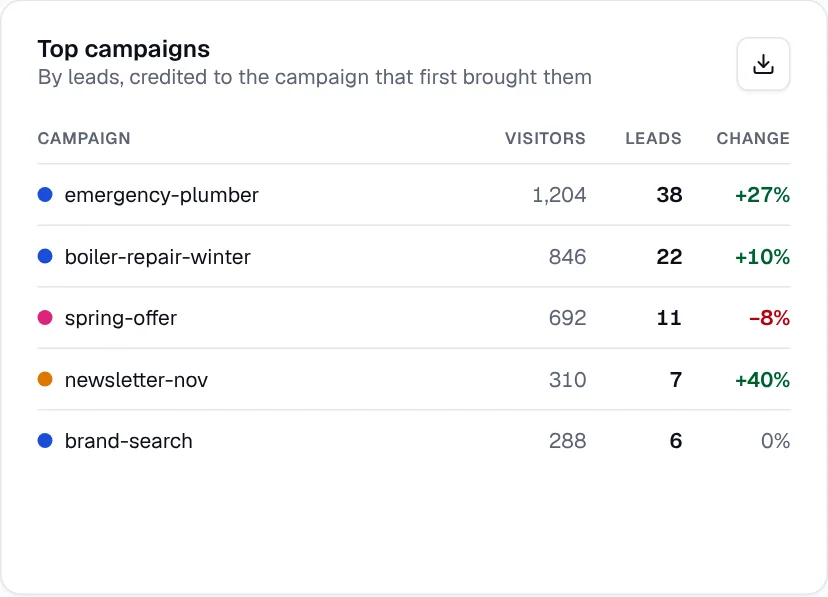
Separate campaigns, named something like brand-search and emergency-plumber, keep the two apart in every campaign report. If they share a campaign, cheap brand leads make the whole campaign look better than the non-brand keywords deserve. Judge non-brand campaigns on whether they bring new customers you wouldn't otherwise get.
How do you test your Google Ads tracking?
You test your Google Ads tracking by checking the address your ads send people to, submitting a test form and confirming the lead shows the right channel, campaign and keyword. Do this after setup and whenever you add a campaign or change your forms. It takes about ten minutes.
- Make sure your tracking script is on every page with a form. The help guide on installing the tracking script covers the script tag and the WordPress plugin.
- In Google Ads, check the final URL suffix is saved at account level and on any campaign that has its own.
- Don't click your own live ads to test. It costs money and can skew your data. Instead, open your landing page with the suffix pasted in by hand and a real keyword typed in place of
{keyword}. - Submit the form with an obvious name, such as "Test Google Ad".
- Open the test lead and check the channel, source, campaign and term.
- Delete it or mark it as Lost, so it doesn't count in your reports.
- After a few days of real traffic, open a real Google Ads lead and confirm the term holds a real keyword, not the text
{keyword}.
Troubleshooting Google Ads lead tracking
| Symptom | Likely cause | Fix |
|---|---|---|
| Leads show Paid Search but no campaign | Only the gclid arrived; no suffix is set | Add a final URL suffix at account level |
Term shows {keyword} as text | The tags were pasted into the final URL itself, or the brackets are wrong | Move them to the final URL suffix and check the curly brackets |
| Term is empty on some leads | Keyword-less campaign such as Performance Max, or a campaign has no suffix | Expected for those campaigns; otherwise add the suffix to the campaign |
| Google Ads leads show as Direct | A redirect dropped the query string, or the script isn't on the page | Link to the final page address and install the script on every page |
Bing clicks show utm_source=google | Campaigns were imported from Google Ads with the same suffix | Change utm_source to bing in Microsoft Ads |
| One campaign appears under two names | The typed campaign name in the suffix changed | Fix the name, or switch to {campaignid} |
How do you find which keywords bring customers, not just leads?
You find which keywords bring customers by marking each lead's outcome, grouping customers by keyword and dividing each keyword's cost by its customers. Cost per lead is spend divided by leads. Cost per customer is spend divided by the leads who actually paid you, and it's the number that decides where your budget goes.
Your lead tracker supplies leads, keywords and outcomes; Google Ads supplies the cost. Put them side by side, in a spreadsheet if nothing else.
Take a two-van plumbing company, a made-up business, running one Google Ads campaign called emergency-plumber for a month. It spends $1,800 and gets 30 leads. The owner marks which leads booked a job, then groups them by the keyword on each lead.
| Keyword | Spend (from Google Ads) | Leads | Customers | Cost per lead | Cost per customer |
|---|---|---|---|---|---|
| emergency plumber | $1,000 | 15 | 7 | $66.67 | $142.86 |
| 24 hour plumber | $500 | 10 | 2 | $50.00 | $250.00 |
| plumber near me | $300 | 5 | 0 | $60.00 | No customers |
| Total | $1,800 | 30 | 9 | $60.00 | $200.00 |
On cost per lead, "24 hour plumber" looks like the best keyword. On cost per customer, "emergency plumber" is clearly better, and "plumber near me" brought five enquiries and no jobs. If an average job is worth $450, the seven "emergency plumber" customers brought in $3,150 from $1,000 of spend. The $300 on "plumber near me" brought nothing.
The next step isn't automatically to pause "plumber near me". Open the Search terms report first. It may be catching searches for plumbing supplies or jobs, which a few negative keywords would fix. Five leads is also a small sample, so give it another month before deciding.
This only works if every lead gets a status (New, Qualified, Customer or Lost) within a day or two, ideally with a deal value, and if you compare the same date range in Google Ads and your lead list.
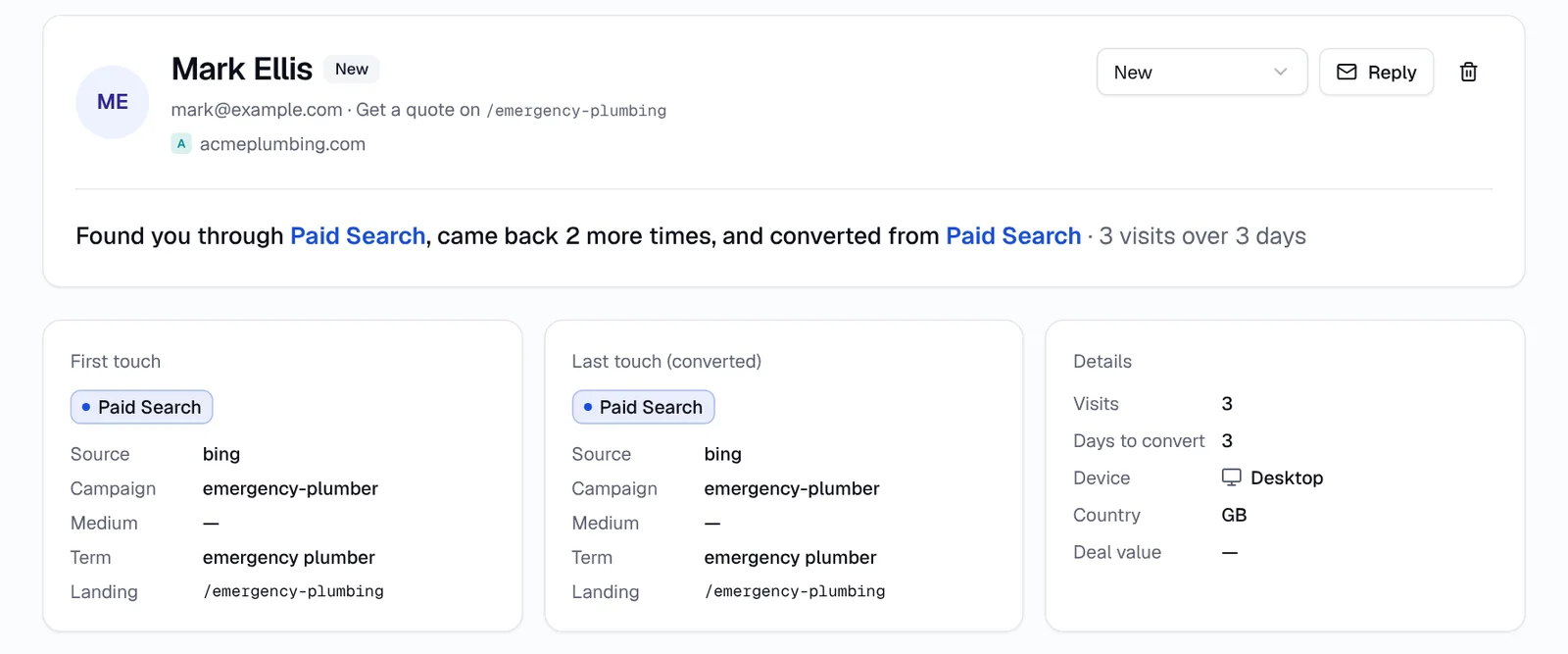
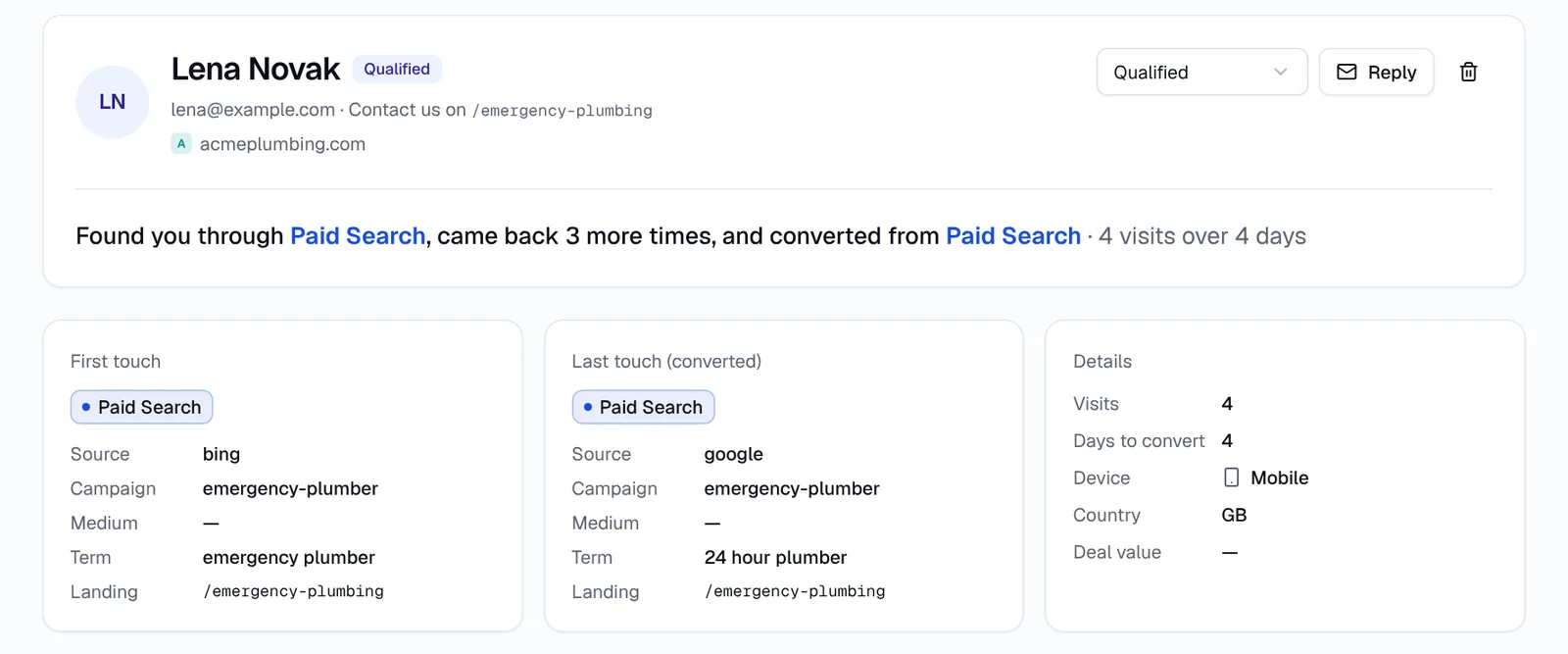
Our guide to first touch vs last touch explains which keyword to credit when a lead clicked two different ads before enquiring, as the sample lead in the screenshot at the top of this post did.
Why do Google Ads conversion counts differ from your leads?
Google Ads conversion counts differ from your leads because Google counts conversions by its own rules, which are built for optimising ads, not for listing named enquiries. Neither number is wrong; they answer different questions.
The main reasons:
- Attribution models: an attribution model is the rule for sharing credit between clicks. Google Ads can split one conversion across several ad clicks, so a keyword may get half a conversion.
- Conversion windows: a conversion window is how long after a click Google will still credit a conversion. A form filled in weeks later can still count in Google Ads.
- Counting settings: a conversion action can count every conversion or one per click. If set to every, one person filling in two forms counts twice.
- Cross-device journeys: Google can link a phone click to a laptop enquiry through signed-in accounts. Your website sees two separate visitors.
- Modelled conversions: where privacy settings block measurement, Google estimates some conversions. They appear as numbers with no matching person.
- Only Google's ads get credit: Google Ads credits its own clicks. Your lead list may credit the first touch, which could be Facebook, organic search or a referral.
Use Google Ads conversion data for bidding decisions inside Google, such as which ads and bids to favour. Use your own lead list, with real names and outcomes, to decide how much to spend on Google Ads compared with everything else. GA4 adds a third view with its own rules again, so expect it to differ from both.
How do you send keyword data to your CRM?
You send keyword data to your CRM by passing each new lead, with its UTM tags and keyword, into the CRM as fields when the lead arrives. You can do it with webhooks or Zapier, or with hidden fields in your form tool. Then whoever follows up sees the keyword, and outcomes can be matched back to it.
Common routes:
- Zapier or webhooks: a tracker sends each new lead, with its first and last touch, to Google Sheets, HubSpot, Zoho CRM, Salesforce, Pipedrive or another tool. Map the term into a field such as "Keyword". The help guide on webhooks and Zapier shows the setup.
- Hidden form fields: some form tools can store UTM values in hidden fields and pass them to the CRM. This works, but every form needs the fields, and it only captures the visit the form was filled in on.
- A shared spreadsheet: for a small business, a Google Sheet with one row per lead, the keyword, the campaign, the status and the job value may be all you need.
Whichever you choose, create CRM fields for both first-touch and last-touch campaign and keyword. Then a monthly export grouped by keyword gives you the cost per customer table from earlier without retyping anything.
What about Google Ads offline conversion import?
Google Ads offline conversion import is a Google feature that lets you upload outcomes, such as a lead becoming a customer, matched to the original click by gclid. Google can then optimise bids towards keywords that bring customers, not just form fills.
HeyLead doesn't upload offline conversions to Google Ads for you. It does store each lead's click ID and send it out through webhooks or Zapier, so you or your agency can feed it into an upload process.
Common mistakes with Google Ads keyword tracking
Common mistakes with Google Ads keyword tracking are mostly small setup slips that quietly hide which keywords pay. Check your account against this list:
- Relying on auto-tagging alone: the gclid proves a click was paid but tells your website nothing about the keyword.
- Pasting tags into the final URL: use the final URL suffix so ValueTrack parameters are filled in and landing pages stay clean.
- Incomplete campaign suffixes: a campaign suffix replaces the account one, so a suffix with only
utm_campaignloses the keyword. - Reading `{keyword}` as the search: it's the matched keyword. Check the Search terms report for what people typed.
- Expecting keywords from Performance Max: campaigns without keywords have none to pass.
- Mixing brand and non-brand: cheap brand leads hide expensive non-brand keywords.
- Judging keywords on cost per lead: a keyword with cheap leads and no customers is the most expensive in your account.
- Never marking outcomes: without statuses, you can count leads but not customers.
If you run a trade or service business, our page for local service businesses shows how lead-source tracking works for trades and other service businesses.
Key takeaways
- Keep auto-tagging on, and add
utm_source=google&utm_medium=cpc&utm_campaign=...&utm_term={keyword}to the final URL suffix so every lead carries its keyword. - Google has no campaign name parameter: type the name into a campaign-level suffix with the full set of tags, or use
{campaignid}. - The keyword on a lead is the keyword that matched, not the search; use the Search terms report to see real queries and add negatives.
- Campaigns without keywords, such as Performance Max, show a blank term, so judge them by campaign.
- Mark which leads become customers and divide each keyword's Google Ads cost by customers, not leads.
- Treat Google Ads conversion counts and your lead list as two views with different rules, and send keyword data to your CRM so outcomes stay connected.
Frequently asked questions
Does Google Ads auto-tagging add UTM tags?
No. Auto-tagging adds a gclid click ID to your landing page address. UTM tags, including the keyword in utm_term, only appear if you add them yourself, usually in the final URL suffix.
Can I see the exact search term for each lead?
Not from the {keyword} parameter. It passes the keyword in your account that matched the search. The Search terms report in Google Ads shows the actual queries, but grouped across all clicks rather than per lead.
Will a final URL suffix stop auto-tagging from working?
No. Google adds the gclid alongside your suffix, so both reach your landing page. Keep auto-tagging on if you use Google Ads conversion tracking or GA4.
Why is utm_term empty for some Google Ads leads?
The click came from a campaign without keywords, such as Performance Max or Display, the ad has no suffix, or a redirect removed the tags. It can also mean the lead's first or last touch came from another channel.
Should I use utm_medium=cpc for Google Ads?
Yes, cpc is the most common value for paid search and most tools read it as paid traffic. What matters most is using the same value on every campaign, and on Microsoft Ads too.
Does HeyLead import my Google Ads spend?
No. HeyLead shows leads, customers and revenue by campaign, and each lead's keyword. Take the cost for each keyword or campaign from Google Ads and divide it by the customers HeyLead shows.
Can I send customers back to Google Ads?
Google Ads has an offline conversion import that accepts outcomes matched by gclid. HeyLead stores the click ID with each lead and can send it out by webhook, but it doesn't upload conversions to Google Ads for you.