Quick answer
- A UTM naming convention is a short, written set of rules for how your team fills in utm_source, utm_medium and utm_campaign, so every link is tagged the same way.
- Use lowercase only, separate words in campaign names with hyphens, and pick source and medium values from a fixed list instead of typing them freely.
- Stick to standard medium values such as cpc, paid_social, email, organic_social and referral, because analytics tools use them to sort visits into channels.
- Name campaigns as topic, then period, then year, for example lead-gen-q4-2026, so they sort neatly in reports.
- Write the rules down in one shared sheet, build links with a UTM builder, and check your campaign report once a month for stray values.
UTM naming conventions are a standardised set of rules for naming your UTM parameters, so every team member builds tracking links the same way, every campaign is readable in your reports, and your data stays clean without constant cleanup. They cover which values to use, how to format them and who can add new ones.
If you have ever opened a campaign report and seen FB_ad, facebook_ad, Facebook-Ad, fb ads and FaceBookAd listed as separate sources, you already know why naming conventions exist. Those five rows are one campaign split five ways. Multiply that across 50 campaigns and nobody can tell which marketing is working.
This guide gives small teams without an analytics specialist a complete UTM naming system: the rules, a format for each field, real examples for every common channel, a template you can copy today, and the UTM best practices that keep your data clean month after month.
What is a UTM naming convention?
A UTM naming convention is a documented set of rules that defines how your team fills in each UTM parameter before adding it to a link. It says which values are allowed for each field, which format to follow, such as lowercase and hyphens, and which options are approved for each channel.
A naming convention is not the same as a UTM builder. A builder creates the tagged URL for you. The naming convention decides what you type into the builder.
Without a convention, everyone invents their own version of the same tag. Your email marketer writes newsletter. Your agency writes email_blast. The founder writes Email. That is three tags for one channel, and three separate rows in your reports.
With a convention, everyone writes newsletter, because that is the approved value in your shared sheet. One tag, one row, one clear answer.
What do the five UTM parameters do?
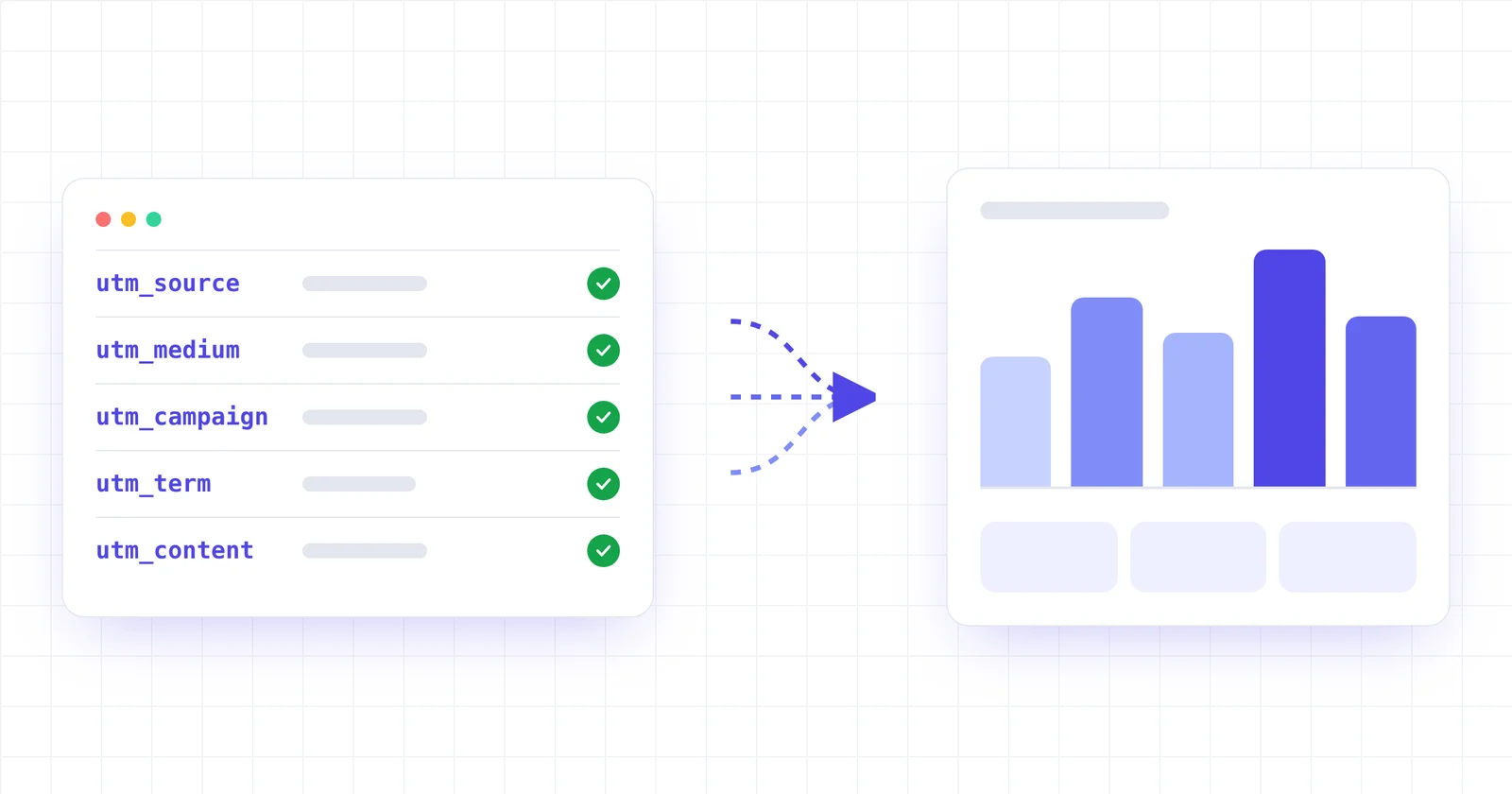
UTM parameters are short labels added to the end of a link, such as ?utm_source=google, that tell analytics and lead tracking tools where a click came from. They are the building blocks of campaign tracking. There are five, and three of them should be on every tagged link.
| Parameter | Required? | What it records | Examples |
|---|---|---|---|
| utm_source | Yes | The site, platform or list that sent the visitor | google, facebook, newsletter, partner-acme |
| utm_medium | Yes | The type of traffic | cpc, paid_social, email, organic_social, referral |
| utm_campaign | Yes | The campaign or promotion the link belongs to | lead-gen-q4-2026, webinar-dec-2026 |
| utm_term | No | The keyword or ad group, mainly for paid search | lead-tracking-software |
| utm_content | No | Which ad, button or link, when several share a URL | hero-banner, carousel-ad-v1 |
When all of them are filled in consistently, your marketing attribution becomes something you can trust: every lead is tied to one clean source, medium and campaign.
How do UTM names become channels in your reports?
Analytics and lead tracking tools read utm_medium (and sometimes utm_source) to decide which channel a visit belongs to, such as Paid Search, Email or Organic Social. That is why the medium matters more than any other field: an unusual value can send a whole campaign into the wrong channel, or into Other.
Here is how HeyLead Attribution sorts the common medium values. GA4's default channel groups treat these standard values in a similar way.
| utm_medium value | Channel in HeyLead |
|---|---|
| cpc, ppc, paid | Paid Search (Paid Social if the source is a social network) |
| paid_social, paid-social | Paid Social |
| email, newsletter | |
| organic_social, social | Organic Social |
| organic, seo | Organic Search |
| referral | Referral |
| display, banner, cpm | Display |
| affiliate | Affiliates |
| Anything else, such as local | Other |
The lesson: invent campaign names freely, but keep mediums to the standard list. If you need a channel of your own, such as Google Business Profile, create a custom channel rule that matches the source instead of inventing a new medium.
UTM best practices: the 10 rules every team should follow
These UTM best practices are the foundation of any naming convention. Follow them and your data stays clean no matter how many people build links.
- Use lowercase for everything. Many reports treat
Facebookandfacebookas two different sources. Lowercase removes the guesswork. - Pick one separator and never mix. Use hyphens inside campaign and content names, such as
summer-sale-2026. Keep the standard medium values likepaid_socialexactly as tools expect them. - Keep names short and descriptive.
q4-product-launchbeatsthe-big-q4-2026-product-launch-campaign-for-new-features. Long names get cut off in reports. - Use one date format. If campaign names include a date, choose
q4-2026ornov-2026and stick to it. Never mix2026-q4withq4-2026. - Keep a fixed list of sources and mediums. Nobody should guess what goes in
utm_sourceorutm_medium. If a value is not on the list, it is not used. - Never tag internal links. A UTM tag on a link from your blog to your pricing page restarts the visit as a new campaign and hides where the visitor really came from.
- Avoid spaces and special characters. Stick to letters, numbers and hyphens. Ampersands, percent signs and plus signs can break the link or split one value into two.
- Write the convention down in one shared place. A Google Sheet, a Notion page or a pinned Slack message. If it is not written down, it is not a convention.
- Audit once a month. Look at your campaign report for duplicates and values that are not on the list. Fix the cause before it spreads.
- Build links with a tool, not by hand. A UTM builder removes typos. HeyLead's free builder rejects capital letters and spaces, so most mistakes cannot happen.
A simple UTM naming structure for small teams
Each UTM parameter is its own field, so the convention defines a format per field rather than one long string. This structure is simple enough for teams of one to ten people to remember.
| Field | Format | Example |
|---|---|---|
| utm_source | Platform name, lowercase | google, linkedin, newsletter |
| utm_medium | One value from the medium list | cpc, paid_social, email |
| utm_campaign | topic-period-year | lead-gen-q4-2026 |
| utm_term | The keyword, hyphenated | lead-tracking-software |
| utm_content | What was clicked, plus version | hero-banner, ad-copy-v2 |
Approved source values
- facebook (use for Facebook and Instagram ads, which run in one ad account)
- instagram (organic Instagram posts)
- youtube
- newsletter
- gbp (Google Business Profile)
- partner-name, such as partner-acme
- the referring site's name, such as capterra
Approved medium values
- cpc for paid search ads
- paid_social for paid social ads
- email for every email and newsletter
- organic_social for unpaid social posts
- referral for partner and third-party links
- organic for free listings you tag yourself, such as Google Business Profile
- display for banner ads
- affiliate for affiliate links
Campaign name format
Use topic, then period, then year. Names in this format group together and sort by date in any report:
- lead-gen-q4-2026
- product-launch-nov-2026
- webinar-dec-2026
- black-friday-2026
- content-series-q1-2027
Content values (optional)
Use utm_content only when one campaign has several links to the same page:
- hero-banner
- sidebar
- cta-primary
- cta-secondary
- video-thumbnail
- carousel-slide-1
UTM naming examples: real campaigns, real URLs
Here are complete UTM naming examples for the most common channels. Each one follows the structure above.
Example 1: Google Ads campaign
A paid search campaign for lead tracking software in Q4 2026:
- utm_source: google
- utm_medium: cpc
- utm_campaign: lead-gen-q4-2026
- utm_term: lead-tracking-software
- utm_content: ad-copy-v2
Full URL: https://heylead.io/?utm_source=google&utm_medium=cpc&utm_campaign=lead-gen-q4-2026&utm_term=lead-tracking-software&utm_content=ad-copy-v2
Google Ads also adds a gclid to every click when auto-tagging is on. Lead trackers that read click IDs, including HeyLead, still credit the visit to Paid Search if a UTM tag is missing, but UTMs give you readable campaign names.
Example 2: Facebook or Instagram ad
A paid social campaign promoting a blog post:
- utm_source: facebook
- utm_medium: paid_social
- utm_campaign: blog-promo-q4-2026
- utm_content: carousel-ad-v1
Full URL: https://heylead.io/blog/track-facebook-ads-leads?utm_source=facebook&utm_medium=paid_social&utm_campaign=blog-promo-q4-2026&utm_content=carousel-ad-v1
For the full Meta setup, including URL parameters in Ads Manager, see how to see which leads come from Facebook ads.
Example 3: Email newsletter
A weekly newsletter linking to your lead source tracking guide:
- utm_source: newsletter
- utm_medium: email
- utm_campaign: weekly-nov-w1-2026
- utm_content: main-cta
Full URL: https://heylead.io/blog/what-is-lead-source-tracking?utm_source=newsletter&utm_medium=email&utm_campaign=weekly-nov-w1-2026&utm_content=main-cta
Example 4: LinkedIn organic post
An unpaid LinkedIn post promoting your AI lead tracking guide:
- utm_source: linkedin
- utm_medium: organic_social
- utm_campaign: ai-tracking-series-q4-2026
- utm_content: post-text-only
Full URL: https://heylead.io/blog/track-leads-from-chatgpt?utm_source=linkedin&utm_medium=organic_social&utm_campaign=ai-tracking-series-q4-2026&utm_content=post-text-only
Example 5: Partner referral link
A partner website linking to your pricing page:
- utm_source: partner-techstart
- utm_medium: referral
- utm_campaign: partner-program-2026
- utm_content: footer-link
Full URL: https://heylead.io/pricing?utm_source=partner-techstart&utm_medium=referral&utm_campaign=partner-program-2026&utm_content=footer-link
Example 6: Google Business Profile
The website button on a local business profile, pointing to a page about local services tracking:
- utm_source: gbp
- utm_medium: organic
- utm_campaign: listing-2026
- utm_content: website-button
Full URL: https://heylead.io/solutions/local-services?utm_source=gbp&utm_medium=organic&utm_campaign=listing-2026&utm_content=website-button
The profile is free, so the medium is organic, not cpc. Businesses with several locations keep the same source and medium everywhere and put the location in the campaign, such as listing-leeds. Our Google Business Profile guide covers every link on the profile.
How do you create a UTM naming convention, step by step?
Building a UTM naming system takes about 30 minutes. Here is the process.
- List every traffic source you use. Go through the last three months of campaigns and write down every platform and site that sent visitors. This becomes your source list.
- Define your mediums. Most teams need five to seven: cpc, paid_social, email, organic_social, referral, display and affiliate.
- Choose one campaign name format. We recommend topic, period, year, because it sorts naturally and is easy to read.
- Build the master sheet. Create a Google Sheet or Notion page with four columns: parameter, approved values, examples, and who approves new values. Share it with everyone who creates links, including agencies and freelancers.
- Build links with a UTM builder. Use the free HeyLead UTM builder or any builder your team prefers, and copy values from the sheet rather than typing them from memory.
- Walk the team through it. A 15-minute call is enough: show the sheet, show the builder, and explain why one spelling per value matters for clean campaign tag naming.
- Audit once a month. Check your campaign report for values that are not on the list. Add the legitimate ones to the sheet and fix the source of any typos.
UTM naming template: copy this for your team
Copy these three tables into a spreadsheet and adjust them to your channels.
Source values (utm_source)
| Approved value | When to use |
|---|---|
| Google search or display ads | |
| Facebook and Instagram ads from one Meta ad account | |
| Organic Instagram posts only | |
| LinkedIn ads or organic posts | |
| X (Twitter) posts or ads | |
| youtube | YouTube videos or ads |
| newsletter | Email newsletters |
| gbp | Google Business Profile links |
| partner-name | Partner links (replace name, such as partner-acme) |
Medium values (utm_medium)
| Approved value | When to use |
|---|---|
| cpc | Paid search ads (Google Ads, Microsoft Ads) |
| paid_social | Paid social ads (Meta, LinkedIn, TikTok) |
| Every email campaign and newsletter | |
| organic_social | Unpaid social media posts |
| referral | Partner or third-party website links |
| organic | Free listings you tag, such as Google Business Profile |
| display | Banner ads and display networks |
| affiliate | Affiliate programme links |
Campaign formats (utm_campaign)
| Format | Example |
|---|---|
| topic-q1-to-q4-year | lead-gen-q4-2026 |
| topic-month-year | launch-nov-2026 |
| event-year | black-friday-2026 |
| series-quarter-year | content-series-q1-2027 |
| product-phase | feature-launch-beta |
Which UTM naming mistakes break your tracking?
Even with a convention, teams make the same mistakes. Here are the most common, and how to avoid each one.
- Mixing uppercase and lowercase.
Facebookandfacebookbecome two rows. Enforce lowercase with a builder. - Using spaces. A space turns into
%20or+in the link, and different tools show it differently, so one name can split in two. Use hyphens. - Campaign names that are too long. Keep them under about 30 characters so they stay readable in reports and in the link.
- Tagging some channels but not others. If paid ads are tagged and emails are not, half your leads arrive without a campaign. Tag every link you control.
- Tagging internal links. UTMs on links between your own pages overwrite the real source of the visit. Only tag links that point to your site from somewhere else.
- Changing the format mid-campaign. If a campaign starts as
q4-2026, do not switch to2026-q4halfway. The results will split across two names. - Forgetting links sent by hand. Links in sales emails, proposals and email signatures need tags too. Otherwise those leads look like Direct, which is the problem we cover in why your CRM says Direct.
How does HeyLead Attribution capture UTM parameters?
A naming convention solves the consistency problem. It does not solve the capture problem: UTM tags sit on the first page a visitor lands on, but most people read a few pages, or come back days later, before they fill in a form. If the tags are lost on the way, your convention never reaches your CRM.
Most tools ask you to add hidden fields to every form and map each UTM to them. HeyLead Attribution works differently.
What that gives you:
- Every UTM on every lead: source, medium, campaign, term and content are attached to the lead automatically.
- First touch and last touch: HeyLead keeps both the visit that first brought someone in and the one before they converted, plus every visit in between. First touch vs last touch explains when to use each.
- Leads in your CRM: send each lead with its source to HubSpot, Salesforce, Zoho CRM, Pipedrive or any other CRM through Zapier or a webhook. See integrations.
- Channels that match your convention: standard mediums are sorted into channels automatically, and custom rules handle anything special.
Setup takes a few minutes: install the WordPress plugin or paste one line into your site settings, and every tagged link you build from now on shows up against the leads it brings. Lead source tracking explains the rest, and you can see the plans on the pricing page.
UTM naming conventions checklist
- Write down your approved source values.
- Write down five to seven standard medium values.
- Choose one campaign format: topic, period, year.
- Use lowercase and hyphens; no spaces or special characters.
- Never tag links between your own pages.
- Build every link with a UTM builder.
- Share the sheet with everyone who builds links, including agencies.
- Audit the campaign report once a month.
Related guides
- What is lead source tracking? A plain-English guide
- Why your CRM says "Direct", and how to fix it
- First touch vs last touch: which should a small business use?
- How to see which leads come from ChatGPT and other AI assistants
- How to see which leads come from Facebook ads
- Track where your leads come from without writing code
Frequently asked questions
What is a UTM naming convention?
A UTM naming convention is a documented set of rules for how your team names utm_source, utm_medium, utm_campaign, utm_term and utm_content on every tracking link. It makes sure everyone builds links the same way, so each campaign shows up as one clean row in your reports.
How should I name my UTM parameters?
Use lowercase letters, separate words with hyphens in campaign and content names, and choose source and medium from a predefined list. Name campaigns as topic, period and year, such as webinar-dec-2026, and keep each value short enough to read in a report.
What are UTM best practices?
Always use lowercase, keep a fixed list of sources and mediums, use standard medium values like cpc and email, keep campaign names under about 30 characters, never tag internal links, avoid spaces and special characters, write the rules down, and audit your campaign report monthly.
Should I use hyphens or underscores in UTM tags?
Either works, as long as you never mix them for the same idea. A common approach is hyphens inside campaign and content names, such as summer-sale-2026, while keeping the standard medium values like paid_social exactly as analytics tools expect them.
How do I create a UTM naming system?
List every traffic source you used in the last three months, define five to seven mediums, choose one campaign name format, put the approved values in a shared sheet, build links with a UTM builder, show the team in a 15-minute call, and audit the campaign report once a month.
Are there UTM naming templates available?
Yes. This article includes a template with approved source values, medium values and campaign formats that you can copy into a spreadsheet. HeyLead's free UTM builder then turns those values into tagged links and rejects capital letters and spaces.
Which utm_medium should I use for Google Business Profile links?
Use utm_medium=organic with a source such as gbp, because the profile is free. A paid medium like cpc would wrongly send those visits to Paid Search, and a made-up medium like local usually ends up in an Other or Unassigned channel.
What are examples of good UTM names?
Good UTM names are short, lowercase and follow one format, such as utm_source=linkedin, utm_medium=paid_social, utm_campaign=webinar-dec-2026 and utm_content=video-ad-v1. A bad set looks like utm_source=LinkedIn, utm_medium=PaidSocial and utm_campaign=The_Big_Webinar_Campaign_December_2026.