Quick answer
- To see which leads come from Facebook ads, add UTM parameters to every ad in Meta Ads Manager and use a tracker that saves those tags with each form submission.
- Use
utm_medium=paid_socialfor ads andutm_medium=socialfor organic posts, so paid and unpaid Facebook traffic never get mixed up. - Meta's dynamic parameters such as
{{campaign.name}},{{ad.name}}and{{site_source_name}}fill in the campaign, ad and platform for you on every click. - Facebook Lead Ads (instant forms) never reach your website, so you track them by syncing the form data to your CRM or a spreadsheet instead.
- Judge Meta ads by cost per customer, not cost per lead, because cheap leads that never buy are not cheap.
To see which leads come from Facebook ads, add UTM parameters to every ad in Meta Ads Manager and use a tracker that saves those tags with each form submission. With utm_medium=paid_social plus the campaign and ad name in the link, each lead shows exactly which ad brought it, kept separate from your organic posts.
Without tags, Facebook and Instagram ad clicks are hard to tell apart from people clicking your normal posts, and some arrive with no source at all. That's why Ads Manager and your own lead list rarely agree, and why many small businesses end up guessing whether their Meta budget is working.
This guide walks through the whole setup: the tags to use, where to paste them in Ads Manager, how to split Facebook from Instagram, what to do with instant forms, why the numbers never match, and how to test it all in ten minutes.
Why do Facebook ad leads get mislabelled?
Facebook ad leads get mislabelled because the information that reaches your website after a click is thin and easy to lose. Your website only knows what the browser tells it on arrival: the page address, any tags in that address and sometimes the referring site. Meta's apps pass along less of that than most people expect.
Four things cause most of the confusion:
- In-app browsers: Facebook and Instagram open links inside their own app rather than in Safari or Chrome. These in-app browsers often send no referrer (the header that tells a site which page sent the visitor), so the visit can look like Direct.
- fbclid is on almost every link: an fbclid is a click ID, a long code Facebook appends to outbound links. Facebook adds it to clicks from ads and from ordinary posts alike, so on its own it can't prove a click was paid.
- Missing UTMs: most analytics tools and lead trackers only call a visit Paid Social when the link carries UTM tags that say so. An untagged ad is just another Facebook click.
- Browser and phone privacy changes: iOS, Safari and other browsers increasingly limit tracking, strip some link parameters and shorten how long cookies last. Data tied to your own tags and your own website holds up better than data that depends on third-party cookies.
The result is predictable. A plumber's autumn promotion on Instagram brings in ten enquiries, but the CRM shows four as Direct, three as Organic Social and three with no source. Our guide on why your CRM says Direct covers the same problem across every channel.
HeyLead, for example, labels a visit with an fbclid but no UTM tags as Organic Social from Facebook, because that's all the click proves. Tagging your ads removes the guesswork for any tracker, not just HeyLead.
What UTM parameters should you use for Facebook ads?
UTM parameters for Facebook ads are short tags added to the end of your ad's link that tell your website where the click came from. A UTM parameter is a name and value pair, such as utm_source=facebook, that analytics tools and lead trackers read when someone lands on your page. There are five standard ones.
| Parameter | What it answers | Recommended value for Meta ads |
|---|---|---|
utm_source | Which site or app sent the click? | facebook, or {{site_source_name}} to split Facebook, Instagram and others automatically |
utm_medium | What type of traffic is it? | paid_social for every ad (never social, which means unpaid posts) |
utm_campaign | Which campaign was it? | {{campaign.name}}, or a fixed lowercase name like autumn-offer |
utm_content | Which ad or creative was clicked? | {{ad.name}}, so each creative is reported separately |
utm_term | Which audience or keyword? | {{adset.name}}, since the ad set holds your targeting |
Medium matters most. Trackers decide the channel mainly from utm_medium: paid_social (or cpc, ppc or paid combined with a social source) means Paid Social, while social means Organic Social. If you tag ads with social, your paid results end up mixed into your free posts.
You can build a tagged link by hand or with our free UTM builder. For a step-by-step reference on tagging every channel, see the help guide on UTM tagging.
How do you add UTM parameters in Meta Ads Manager?
Meta Ads Manager has a URL parameters field on every ad, and that field accepts dynamic values that fill in the campaign, ad set and ad names for you. You set the parameters at the ad level, not the campaign level, so each ad needs them. Duplicated ads keep the field, which saves work later.
- Open Meta Ads Manager and go to the Ads tab. Tick the ad you want to tag and click Edit.
- Check the Website URL in the destination section is the clean page address, with no tags already on it.
- Scroll down to the Tracking section and find the URL parameters field. There is also a Build a URL parameter helper if you prefer filling boxes.
- Paste:
utm_source={{site_source_name}}&utm_medium=paid_social&utm_campaign={{campaign.name}}&utm_content={{ad.name}}&utm_term={{adset.name}} - Click Publish. Repeat for every active ad, or select several ads and edit them together.
- Open the ad preview, click through to your site and check the tags appear in the address bar.
Putting tags in the URL parameters field rather than the Website URL keeps your landing page link clean and lets Meta replace the dynamic values on each click. Dynamic parameters are placeholders in double curly brackets that Meta swaps for real values, such as the campaign's name, when someone clicks.
| Dynamic parameter | What Meta fills in | Best used in |
|---|---|---|
{{campaign.name}} | The campaign name as it appears in Ads Manager | utm_campaign |
{{adset.name}} | The ad set name, which usually describes the audience | utm_term |
{{ad.name}} | The individual ad name, so you can compare creatives | utm_content |
{{site_source_name}} | A short code for where the ad ran, such as fb for Facebook or ig for Instagram | utm_source |
{{placement}} | The placement, such as a feed or Stories position | An extra parameter or utm_content if you test placements |
Meta also offers ID versions such as {{campaign.id}} and {{ad.id}}. IDs never change, while names change if you rename a campaign mid-flight, which splits its results in two. If you rename things often, consider IDs; if you want readable reports, use names and stop renaming live campaigns.
Naming conventions for Meta campaigns
A naming convention is a fixed pattern for naming campaigns, ad sets and ads, so the values that land in your tags are tidy and comparable. Dynamic parameters copy your names exactly, so messy names in Ads Manager become messy reports everywhere else.
- Use lowercase with hyphens:
autumn-offer, notAutumn Offer!!. Spaces become%20or+in links and look different in different tools. - Put the goal or offer first:
boiler-service-autumn,free-quote-spring. - Name ad sets by audience:
lookalike-1pct,retarget-30d-visitors,local-15mi-homeowners. - Name ads by creative and angle:
video-van-tour,carousel-before-after. - Write the convention down and share it with anyone who touches the account, including agencies.
Our UTM naming convention guide gives a complete scheme you can copy for every channel, not just Meta.
How do you tell Facebook, Instagram and organic posts apart?
You tell Facebook, Instagram and organic posts apart by giving each a distinct source and medium in its tags. Meta runs ads across several apps from one Ads Manager, so a single utm_source=facebook lumps them together. The fix is {{site_source_name}} for ads and hand-written tags for everything you post for free.
Separating Facebook, Instagram, Messenger and Audience Network
Facebook, Instagram, Messenger and Audience Network are separate placements that Meta may use when you choose Advantage+ or automatic placements. Audience Network is Meta's network of partner apps and sites that show your ads outside Facebook and Instagram. Each can bring very different lead quality, so it pays to see them separately.
- Set
utm_source={{site_source_name}}and Meta fills in a short code per platform, such asfb,ig,msgoran. - Add
&placement={{placement}}if you want to compare feed, Stories and Reels within a platform. - If one platform brings leads that never buy, exclude it at the ad set level rather than guessing.
- In your tracker, check the source values look as expected after the first few clicks. Short codes like
igare fine as long as you use them consistently.
Tagging organic posts, bio links and Stories
Organic posts, bio links and Stories need tags too, or their clicks get guessed from referrers and click IDs. Use utm_medium=social for anything you don't pay for, so it lands in Organic Social and stays apart from your ads.
- Facebook page posts:
utm_source=facebook&utm_medium=social&utm_campaign=page-post - Instagram bio link:
utm_source=instagram&utm_medium=social&utm_campaign=bio-link - Instagram Story link stickers:
utm_source=instagram&utm_medium=social&utm_campaign=story-autumn-offer - Facebook group posts:
utm_source=facebook&utm_medium=social&utm_campaign=local-group - Boosted posts: these are ads, so tag them
utm_medium=paid_sociallike any other ad
Should you use Facebook Lead Ads or send people to your website?
Facebook Lead Ads and website forms both work, but they suit different goals and are tracked in completely different ways. Facebook Lead Ads, also called instant forms, collect the person's details in a form inside Facebook or Instagram. The person never visits your website, so no website tracker, pixel or analytics tool sees them arrive.
| Lead Ads (instant forms) | Website forms | |
|---|---|---|
| Where the form lives | Inside Facebook or Instagram, prefilled from the profile | On your own landing page |
| Effort for the visitor | Very low, a few taps | Higher, they load a page and type |
| Typical lead quality | Mixed; some people submit without reading | Usually higher intent, they read your page first |
| How the source is known | The ad itself; Meta records the campaign, ad set and ad | UTM tags on the click, saved by your tracker |
| Where leads land | Meta's Leads Center until you sync them | Your inbox, CRM or tracker straight away |
| Best for | Simple offers, quick callbacks, high volume | Considered purchases, quotes, bookings |
How to sync instant-form leads to your CRM
Instant-form leads sit in Meta until you move them, and speed matters because people forget they filled in a form. There are three common ways to sync them.
- Meta's own CRM integrations: in Meta Business Suite, the Leads Center and Lead Ads integrations let you connect supported CRMs such as HubSpot directly.
- Zapier or a similar tool: use the Facebook Lead Ads trigger to send each new lead to Google Sheets, your CRM or an email address within minutes.
- Manual download: export leads as a CSV from Leads Center or the form library. This works for low volume but is slow, and slow follow-up costs you jobs.
Whichever route you pick, map the campaign name and ad name into fields in your CRM, and set the lead source to something like Facebook Lead Ad. That way instant-form leads sit next to website leads in one list and you can compare them fairly.
Why don't Ads Manager numbers match your lead list?
Ads Manager numbers don't match your lead list because Meta and your website count different things in different ways. Meta reports conversions it can connect to an ad view or click within its attribution window. Your website tracker counts the leads that actually arrived on your site from a tagged click.
- Attribution windows: an attribution window is the period after a click or view during which Meta will credit a conversion to the ad. Someone who clicks today and fills in your form next week can still count in Ads Manager.
- View-through conversions: Meta can credit an ad that someone only saw, never clicked. Your website has no way to know about that view.
- Modelled conversions: when privacy settings block direct measurement, Meta estimates some conversions statistically. These appear in Ads Manager as numbers but have no matching name in your lead list.
- Cross-device journeys: Meta can link a phone ad view to a laptop conversion through logged-in accounts. Your tracker sees the laptop visit as its own visit.
- Different credit rules: Meta credits its own ads. Your tracker may credit the first touch or the last touch, which could be Google or email.
Neither number is wrong. Use Ads Manager to optimise inside Meta, such as choosing which creative to scale. Use your own lead list, with real names and outcomes, to decide how much to spend on Meta compared with Google or anything else. Our explainer on first touch vs last touch covers why credit rules change the picture.
Where the Meta Pixel and Conversions API fit
The Meta Pixel and Conversions API send conversion data to Meta, not to you. The Meta Pixel is a JavaScript snippet on your site that reports events such as page views and form submissions back to Meta. The Conversions API sends the same kind of events from your server or CRM, so they still reach Meta when a browser blocks the pixel.
Both help Meta optimise delivery and fill in Ads Manager reports. Neither gives you a list of which named lead came from which ad. You still need UTM tags and a tracker on your own site for that. Run the pixel for Meta and your own tracking for your decisions; they do different jobs.
How do you know which Facebook ads bring customers?
You know which Facebook ads bring customers by following each lead past the form to the sale, then dividing your ad spend by customers, not leads. Cost per lead is ad spend divided by the number of leads. Cost per customer is ad spend divided by the number of leads who actually paid you.
Take a two-van plumbing company running two Meta campaigns for a month. The numbers below are an illustration, not a benchmark.
- Campaign A, instant form: $1,200 spend, 60 leads, 3 customers. Cost per lead is $20. Cost per customer is $400.
- Campaign B, website form: $1,200 spend, 24 leads, 6 customers. Cost per lead is $50. Cost per customer is $200.
Judged on cost per lead, Campaign A looks more than twice as good. Judged on cost per customer, Campaign B is twice as good. If each job is worth $600 on average, Campaign B returned $3,600 from $1,200 while Campaign A returned $1,800. Budget should move towards B.
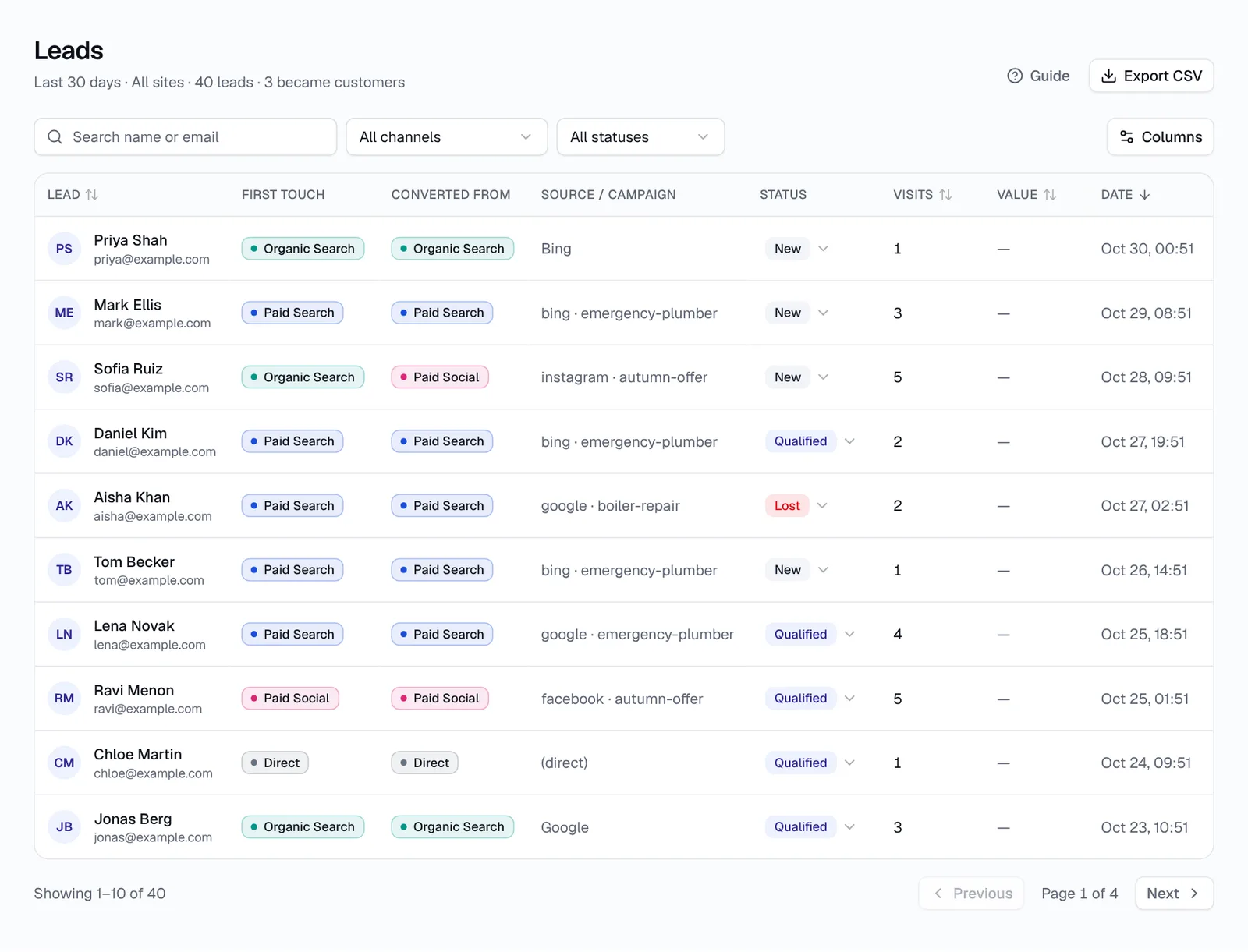
To get these numbers you need two things. Every lead must carry its campaign and ad, and someone must mark which leads became customers. A simple status column in a spreadsheet or CRM (New, Qualified, Customer, Lost) is enough to start.
How do you test your Facebook ad tracking?
You test your Facebook ad tracking by clicking a real ad link yourself, submitting a test form and checking the lead arrives with the right source, medium and campaign. Do this after setup and again whenever you launch a new campaign or change your website forms. The whole test takes about ten minutes.
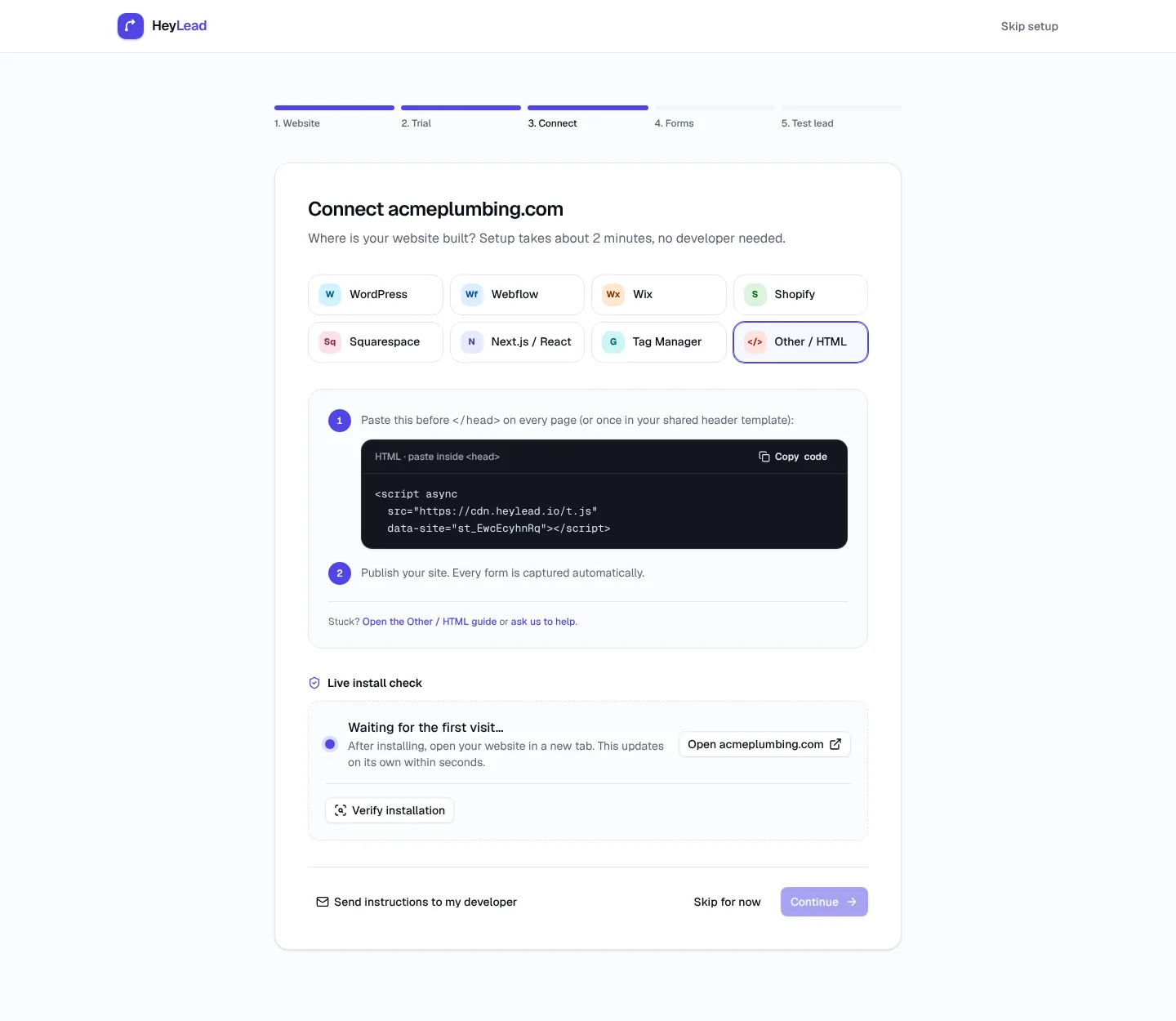
- Make sure your tracking script is on every page with a form, not just the homepage. The help guide on installing the tracking script shows how.
- In Ads Manager, open the ad and use Preview or share the preview link to your phone.
- Tap the ad inside the Facebook or Instagram app, so you test the in-app browser your customers actually use.
- Look at the landing page address. You should see
utm_source=,utm_medium=paid_socialand your campaign name filled in, not the raw{{campaign.name}}text. - Submit the form with an obvious test name, such as "Test Meta Ad".
- Open your lead list or CRM and check the test lead shows Paid Social, the right platform and the right campaign.
- Delete or mark the test lead as Lost, so it doesn't skew your reports.
Troubleshooting Facebook ad tracking
| Symptom | Likely cause | Fix |
|---|---|---|
| Ad leads show as Direct | No UTM tags and the in-app browser sent no referrer | Add URL parameters to every ad and re-test from the app |
| Ad leads show as Organic Social | Only an fbclid arrived, or tags use utm_medium=social | Set utm_medium=paid_social in the URL parameters field |
Campaign shows as {{campaign.name}} | Tags were pasted into the Website URL, or the brackets are wrong | Move them to the URL parameters field and check for double curly brackets |
| One campaign appears under two names | The campaign was renamed while running | Stop renaming live campaigns, or switch to {{campaign.id}} |
| Tags vanish after landing | A redirect, such as http to https or a page builder redirect, drops the query string | Link straight to the final URL and check redirects keep parameters |
| Leads arrive with no source at all | The form is on a page without the tracking script, or in an iframe from another site | Install the script on that page or use a form your tracker can capture |
| Instant-form leads are missing | Lead Ads never visit your website | Sync them from Leads Center to your CRM or via Zapier |
Common mistakes with Facebook ad tracking
Common mistakes with Facebook ad tracking are mostly small setup slips that quietly ruin months of data. Check your account against this list:
- Tagging only some ads: new ads launched without URL parameters fall back to Organic Social or Direct.
- Using `utm_medium=social` on ads: paid clicks then mix with organic posts and your ads look worse than they are.
- Hard-coding the campaign name: copying an ad to a new campaign keeps the old name in the tag. Dynamic parameters avoid this.
- Inconsistent capitals and spelling:
Facebook,facebookandFBshow as three sources in most tools. - Renaming live campaigns: results split between the old and new names.
- Forgetting boosted posts and bio links: boosts are paid, bio links are organic, and both need their own tags.
- Leaving instant-form leads in Meta: they never reach your CRM, so they never get compared with website leads.
- Judging ads on cost per lead alone: cheap leads that never buy cost more in the end.
- Treating Ads Manager as the truth: it credits Meta generously by design; check against your own lead list.
Key takeaways
- Add
utm_source={{site_source_name}}&utm_medium=paid_social&utm_campaign={{campaign.name}}&utm_content={{ad.name}}to the URL parameters field of every Meta ad. - Tag organic posts, bio links and Stories with
utm_medium=social, and treat boosted posts as ads. - Lead Ads never reach your website, so sync instant-form leads to your CRM and record the campaign there.
- Ads Manager and your lead list will always differ because of attribution windows, view-through and modelled conversions; use each for its own job.
- Mark which leads become customers and judge every campaign by cost per customer.
- Test from inside the Facebook and Instagram apps whenever you launch something new. Small businesses can find more on a simple setup in our small business guide.
Frequently asked questions
Does Facebook add UTM tags automatically?
No. Facebook adds an fbclid click ID to outbound links, but UTM tags only appear if you add them in the ad's URL parameters field in Meta Ads Manager.
Can I track Instagram ads the same way?
Yes. Instagram ads are managed in Meta Ads Manager and use the same URL parameters field. Use `{{site_source_name}}` as the source to tell Facebook and Instagram apart.
Will UTM tags affect my ad performance?
No. URL parameters don't change delivery or the landing page; they only add information your tracker reads. Meta still reviews the final URL, so keep the tags tidy.
Should I use utm_medium=cpc or paid_social for Meta ads?
Either works if you are consistent. `paid_social` keeps social ads clearly separate from paid search, which makes reports easier to read.
Why does my Facebook ad traffic show as Direct?
Facebook and Instagram open links in an in-app browser that often sends no referrer. Without UTM tags, your tracker has nothing to go on and records the visit as Direct.
How do I track leads from Facebook Lead Ads?
Lead Ads keep the form inside Facebook, so website trackers never see them. Sync the leads from Meta's Leads Center to your CRM with a built-in integration or Zapier, and store the campaign and ad name with each lead.
Do I still need the Meta Pixel if I use UTM tags?
They do different jobs. The Meta Pixel and Conversions API report conversions to Meta for ad optimisation, while UTM tags and your own tracker tell you which named lead came from which ad.