Quick answer
- Real estate agents track lead sources by recording portal leads by portal in their CRM and using a website tracker for every enquiry on their own site.
- Every link you control, including ads, your Google Business Profile, email newsletters, yard signs and flyers, should carry UTM tags so leads show the exact campaign.
- Yard signs, open house flyers and print ads become trackable when each placement has its own QR code pointing to a tagged link.
- Because real estate cycles run for months, keep both the first touch that started the relationship and the last touch that prompted the enquiry.
- Compare lead sources by closed deals, commission and cost per closing, not by lead volume.
Real estate agents track where leads come from by tagging every link and sign they control, recording portal leads by portal in their CRM, and using a tracker on their own website that saves the source of each enquiry. Then they compare closed deals and commission by source, because a cheap lead that never closes is the most expensive kind.
This playbook walks through every common real estate lead source, how to track each one, and how to turn the data into decisions about where your marketing budget goes. It works for a solo agent with one website and for a brokerage with a dozen agents.
Why is lead source tracking hard for real estate agents?
Lead source tracking is hard for real estate agents because leads arrive through many channels at once, the sales cycle can run for months, and a big share of enquiries happen on portals you don't control. Lead source tracking means recording, for every enquiry, the channel and campaign that brought that person to you.
A plumber might have five lead sources. A typical agent has more than ten: two or three portals, a website with IDX listings, a home valuation page, Facebook ads, Google Ads, a Google Business Profile, open houses, yard signs, a newsletter and a sphere of past clients. Each one records the source in a different place, or not at all.
Time makes it worse. A buyer may read your neighbourhood guide in March, come back through Instagram in June and book a showing in September. By the time a deal closes, nobody remembers what started the relationship, so the CRM says Direct or Unknown. Our guide on why your CRM says Direct explains the technical side of that problem.
- Many sources: portals, paid ads, organic search, social, print and word of mouth all run at the same time
- Long cycles: months can pass between the first visit and a signed contract
- Rented platforms: portal enquiries never touch your website, so a website tracker can't see them
- Offline touchpoints: signs, flyers and open houses leave no digital trail unless you add one
- Phone calls: many buyers call the number on a sign, which needs a separate process to record
Where do real estate leads come from, and how do you track each source?
Real estate leads come from two kinds of places: platforms you rent, such as Zillow and Realtor.com, and channels that send people to your own website. Rented platforms are tracked by recording the portal in your CRM; website channels are tracked with UTM tags and a lead tracker on your site.
A UTM tag is a short label added to the end of a link, such as ?utm_source=facebook&utm_medium=paid_social, that tells analytics tools where a click came from. A channel is the broad group a visit belongs to, such as Paid Search, Organic Social or Referral. The table below lists each common source and the simplest way to track it.
| Lead source | Where the lead arrives | How to track it |
|---|---|---|
| Zillow, Realtor.com, Homes.com | Inside the portal | Record the portal by name in your CRM; tag the website link on your portal profile |
| Your website (IDX search, listing pages) | Your showing-request and contact forms | Website lead tracker that captures every form automatically |
| Home valuation page | Your valuation form | Website lead tracker; give the page its own URL so it shows in page reports |
| Facebook and Instagram ads | Your website or a Meta lead form | UTM tags on every ad with utm_medium=paid_social; record Meta lead form leads separately |
| Google Ads | Your website | Turn on auto-tagging so each click carries a gclid click ID; add UTMs for campaign names |
| Google Business Profile | Your website | Tag the profile's website link, e.g. utm_source=gbp&utm_medium=organic |
| Open houses | Sign-in form or QR code | Sign-in form on your own website, or a tagged QR code per open house |
| Yard signs and print | Your website via QR code | One tagged QR code per sign, flyer or mailer with utm_medium=offline |
| Sphere and referrals | Phone, text or email | Ask at intake and record the referrer's name in your CRM |
| Email newsletters | Your website | Tag every link with utm_medium=email and the issue as utm_campaign |
| AI assistants (ChatGPT, Perplexity, Gemini) | Your website | A tracker that recognises AI referrers; ChatGPT adds utm_source=chatgpt.com to links |
A click ID is a code an ad platform adds to the link automatically, such as gclid from Google Ads or msclkid from Microsoft Ads. Trackers that read click IDs can label paid visits correctly even when you forget a UTM tag. Build your tagged links with the free UTM builder and keep your names consistent with a simple UTM naming convention.
AI assistants are a newer source worth watching. People ask ChatGPT or Perplexity for "a realtor who knows the east side" or "how much is my home worth in this area", and the answer can link to your site. Our guide to tracking leads from ChatGPT covers how those visits show up.
How are portal leads different from website leads?
Portal leads are enquiries made inside Zillow, Realtor.com or Homes.com, so the portal owns the form and the data; website leads are enquiries made on your own site, where a tracker can see the full path. Portal leads must be recorded by hand or by the portal's CRM integration, while website leads can be tracked automatically.
| Portal leads | Website leads | |
|---|---|---|
| Who owns the form | The portal | You |
| What you can see about the source | The portal name and the listing they asked about | Channel, campaign, landing page, every visit before the enquiry |
| How the source gets recorded | Lead source field in your CRM, set by the portal integration or by hand | Automatically by a website lead tracker |
| Competition for the lead | Often shared with or routed to other agents | Usually yours alone |
| Cost model | Set by the portal's own programme | Your ad spend, content and website costs |
| Best metric to compare | Closed deals and commission per portal | Closed deals and commission per channel and campaign |
Record portal leads by portal, not as one "Portals" bucket. Zillow, Realtor.com and Homes.com bring different buyers and cost different amounts, and you can only compare them if they stay separate. Use a fixed dropdown in your CRM so nobody types "zillow.com", "Zillow" and "ZIL" for the same thing.
Some portal visitors also click through to your website from your agent profile. Those visits show up as Referral traffic from the portal's domain, and any lead they become is tracked like any other website lead. Add UTM tags to the website link on each portal profile so those visits are easy to spot.
How do you track showing requests and home valuation leads?
You track showing requests and home valuation leads by installing a lead tracker on your website that captures each form submission along with the channel, campaign and landing page that brought the visitor. Once installed, every showing request and valuation enquiry arrives with its source attached, with no hidden fields to set up.
- Install the tracking script on every page of your site. On WordPress use a plugin; on Squarespace, Wix or Webflow paste the script into the site-wide header. Our install guide shows where to click on each platform.
- Check that your forms are detected. Open your tracker's forms list and confirm the showing-request form, contact form, valuation form and newsletter signup all appear.
- Check your IDX pages. IDX is the feed that shows MLS listings on your site. Some IDX tools run search pages on their own domain or inside an iframe, so submit a test showing request from a listing page and confirm it arrives with a source.
- Give each landing page a clear URL, such as
/home-valueor/listings/12-oak-street, so page reports are easy to read. - Send a test lead through each form from a tagged link and check that the campaign appears on the lead.
Home valuation pages deserve special attention. They attract sellers, who usually bring a listing commission, and they are a common target for Facebook and Google ads. Watch the page report for your valuation page: how many visitors arrive, how many fill in the form, and which channel sends the ones who do.
If you use your CRM's own forms instead of a website tracker, you need hidden fields: invisible form fields that store the UTM values so they reach the CRM. They work, but they break whenever someone edits the form, and they usually only capture the last click. Our help guide on how form capture works compares the two approaches.
Should you track buyer and seller leads separately?
Yes, track buyer and seller leads separately, because they come from different sources, take different amounts of time to close and are worth different amounts. A source that is great for buyers can be useless for sellers, and the reverse.
- Seller leads tend to come from home valuation pages, farming mailers, yard signs on your current listings and sphere referrals
- Buyer leads tend to come from portals, IDX search pages, listing-specific ads and open houses
- Separate forms or pages are the simplest split: a valuation form for sellers and a showing-request form for buyers
- A CRM field for lead type (buyer, seller, both, renter) lets you filter every report by intent
With separate pages, your page report already splits buyer and seller enquiries. With separate campaign names, such as seller-valuation-oct and buyer-new-listings-oct, your campaign report does too.
How do you track open houses, yard signs and flyers with QR codes?
You track open houses, yard signs and flyers by printing a QR code on each one that points to a tagged link, so every scan arrives on your website with the placement's name in the UTM tags. Use one link per placement, not one for all print, or you won't know which sign worked.
- Pick a destination: the listing page for a yard sign, the valuation page for a farming mailer, a sign-in page for an open house. Never just your homepage.
- Build the link in the UTM builder with
utm_medium=offline, autm_sourcefor the type of placement and autm_campaignfor the property or mailing. - Shorten it if you like, using a redirect that keeps the UTM tags, so the QR code stays simple.
- Generate the QR code from the final link with any QR generator and download a high-resolution file.
- Scan it yourself on your phone before printing, submit a test form and check the lead shows the right campaign.
- Keep a list of every printed code, its link and where it went, so you can read reports months later.
| Placement | utm_source | utm_medium | utm_campaign |
|---|---|---|---|
| Yard sign at 12 Oak Street | yard-sign | offline | 12-oak-street |
| Open house flyer, 12 Oak Street | open-house | offline | 12-oak-street |
| Farming postcard, October | postcard | offline | farm-eastside-oct |
| Just-sold mailer | mailer | offline | just-sold-12-oak |
| Business card | business-card | offline | evergreen |
| Local magazine ad | magazine | offline | spring-issue |
Offline traffic doesn't fit neatly into the standard channels, so it can end up mixed in with other traffic. If you want it as its own line, create a custom channel rule: a rule you define that assigns matching visits to a channel you name. Set it to match utm_medium equals offline and name the channel Offline. Our help guide on custom channel rules explains where to click.
For open houses, a sign-in form on a tablet works well if the form is part of your website. Load a page such as /open-house?utm_source=open-house&utm_medium=offline&utm_campaign=12-oak-street before the doors open, and every visitor who signs in is recorded with that open house as the source.
How do first touch and last touch work with long real estate sales cycles?
In long real estate sales cycles, the first touch is the channel that brought someone to your website the very first time, and the last touch is the channel they used on the visit when they enquired. Both matter: the first touch shows what started the relationship, and the last touch shows what prompted action.
First-touch attribution credits the channel that introduced the lead. Last-touch attribution credits the channel of the final visit before the enquiry. Most CRMs and Google Analytics 4 default to something closer to last touch, which under-credits the content and ads that start long relationships.
Here's a fictional example. A couple reads your "Best family neighbourhoods on the east side" guide after a Google search in February. They come back twice through your newsletter, then click a Facebook ad for a new listing in May and book a showing. Last touch says Facebook ads. First touch says your neighbourhood guide and organic search.
If you only looked at last touch, you might cut the blog and spend more on ads, and the pipeline would dry up six months later. Read our explainer on first touch vs last touch for more on how to read both.
- Use first touch to judge content, SEO, your Google Business Profile and brand awareness ads
- Use last touch to judge retargeting ads, newsletters and listing alerts that turn interest into enquiries
- Use the full journey when a big deal closes, to see every step that led to it
How do you measure closed deals, commission and cost per closing?
You measure closed deals, commission and cost per closing by marking each lead's status as it moves through your pipeline, adding the commission when a deal closes, and dividing each source's spend by its closed deals. Cost per closing is what you spent on a source divided by the number of deals it closed.
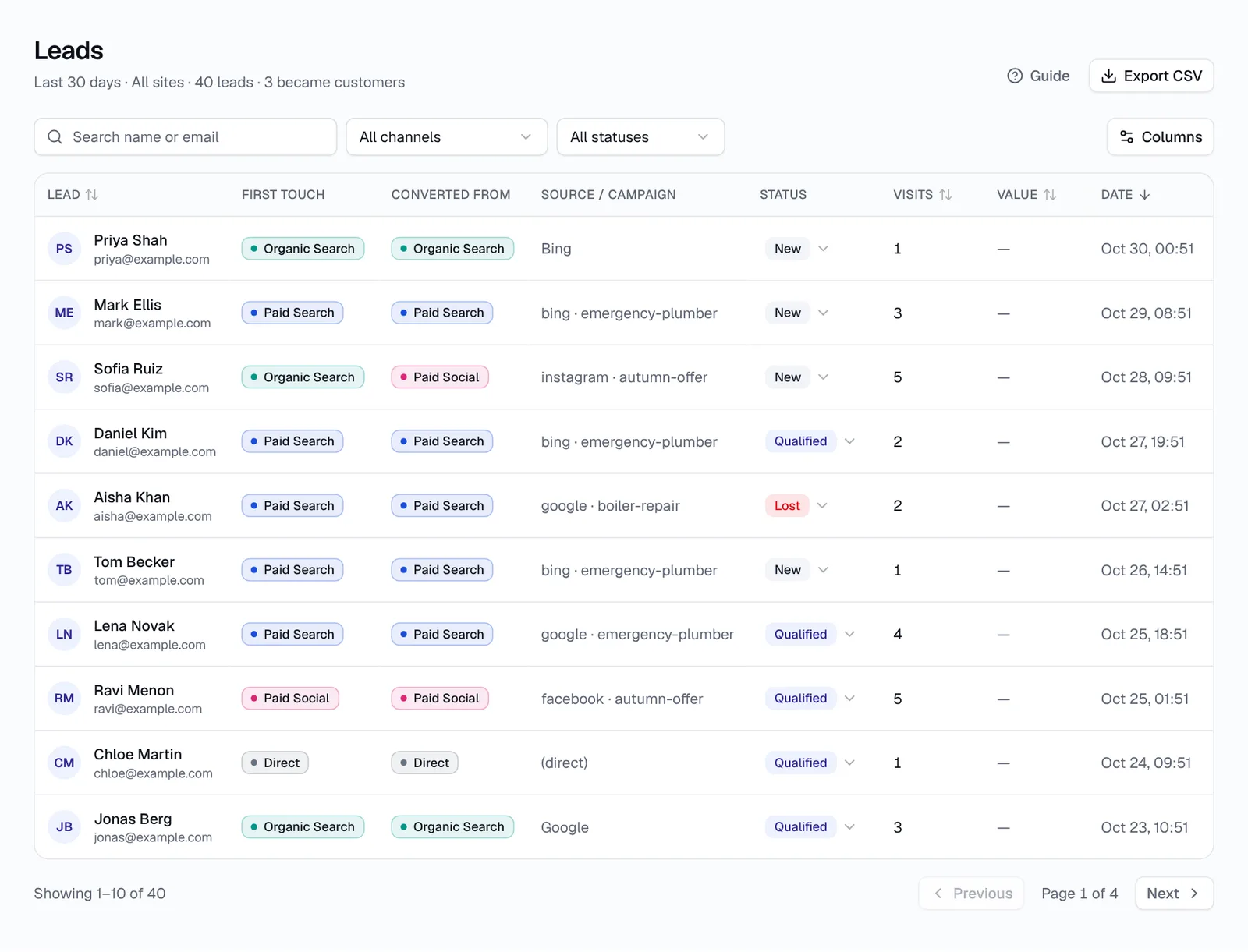
- Mark each lead Qualified once you've spoken to them and confirmed they are a real buyer or seller
- Mark it Customer when a deal closes, and add your commission as the deal value
- Mark it Lost if they buy with someone else or stop replying
- Each quarter, total closed deals and commission by source
- Divide each source's spend by its closed deals to get cost per closing
This worked example is entirely fictional, for a solo agent over one year. The numbers only show how the arithmetic works.
| Source | Spend | Leads | Closed deals | Commission | Cost per closing |
|---|---|---|---|---|---|
| Portal A | $6,000 | 60 | 3 | $27,000 | $2,000 |
| Facebook ads (valuation page) | $3,000 | 75 | 2 | $22,000 | $1,500 |
| Google Ads | $4,000 | 40 | 2 | $18,000 | $2,000 |
| Yard signs and print | $1,200 | 12 | 1 | $9,000 | $1,200 |
| Sphere and referrals | $600 | 8 | 3 | $30,000 | $200 |
Look at how the ranking changes. By lead volume, Facebook ads win with 75 leads. By cost per closing, sphere and referrals win at $200, because $600 spent on client events produced three closings. By commission, sphere also wins, at $30,000 from three deals.
Facebook ads still earn their place: $3,000 produced $22,000 in commission from seller leads. The lesson isn't to cut ads. It's that lead count alone would have told the wrong story about every source in the table.
How often should you review your lead sources?
Review lead sources monthly for activity and quarterly for results. Monthly reviews catch broken tracking and wasted ad spend early; quarterly reviews give enough closed deals to compare sources fairly, since few agents close enough in one month to judge.
- Monthly: check leads by channel and campaign, form fills on the valuation page and any spike in Direct; fix untagged links, pause ads with no qualified leads and update lead statuses
- Quarterly: compare closed deals, commission and cost per closing by source, split by buyer and seller; move budget toward sources with the lowest cost per closing
- Yearly: look at the first-touch sources of the year's closed deals and decide which content, farming areas and portals to keep
How should brokerages and teams set up lead tracking?
Brokerages and teams should set up lead tracking with one shared naming convention, one tracker installed on every website the team runs, and a CRM field that records which agent each lead was assigned to. Without shared rules, each agent's reports use different names and can't be added up.
- Write a naming convention for
utm_source,utm_mediumandutm_campaign, and share it with every agent and any marketing help you use - Install the tracker on every site: the brokerage site, agent sites and single-property sites
- Add the agent to the campaign name for agent-run ads, such as
utm_campaign=sarah-seller-valuation - Route leads to the right agent through email notifications or your CRM's assignment rules
- Report by agent and by source each quarter, so the team can see which sources work for whom
Single-property websites are common in real estate and easy to forget. Each one is a separate site, so it needs its own install and appears as its own site in reports. HeyLead offers plans for multiple websites for brokerages and teams that run several.
How do you send lead sources into your real estate CRM?
You send lead sources into your real estate CRM through Zapier or a webhook, so the channel and campaign land on the contact record automatically. Agents then see where each lead came from without opening a second tool.
- HubSpot: send leads to HubSpot through Zapier or a webhook to push source fields onto contacts (native sync is coming soon)
- Real estate CRMs: use webhooks and Zapier to map first-touch channel, campaign and landing page into custom fields
- Google Sheets: useful for a small team that tracks deals in a spreadsheet
- Email notifications: a quick way to alert the right agent the moment a lead arrives, with the source in the email
What are the most common real estate lead tracking mistakes?
The most common real estate lead tracking mistakes are untagged links, lumping all portals together and judging sources by lead count instead of closed deals. Each one is easy to fix once you know to look for it.
- One QR code for everything: you can't tell which sign or mailer worked, so use one tagged link per placement
- Untagged Google Business Profile link: profile visits get mixed into organic search
- One "Portals" bucket: record Zillow, Realtor.com and Homes.com separately
- Only keeping last touch: the content that started a months-long relationship gets no credit
- Never updating lead status: without Customer and deal value, you can't measure commission by source
- Untested IDX forms: showing requests on a third-party IDX page may not be captured, so test one
- Inconsistent names:
Facebook,facebookandfbsplit one source into three rows - Forgetting phone calls: ask every caller how they found you and log it
Key takeaways
- Record portal leads by portal in your CRM, and use a website tracker for every enquiry on your own site
- Tag every ad, profile link, newsletter, sign and flyer, with one QR code per placement
- Track buyer and seller leads separately, and watch your home valuation page closely
- Keep both first touch and last touch, because real estate cycles run for months
- Compare sources by closed deals, commission and cost per closing, reviewed every quarter
Frequently asked questions
Can I track Zillow leads on my own website?
Leads that enquire on Zillow stay on Zillow, so record them by portal in your CRM. Visits that click from your Zillow profile to your website show as referral traffic from zillow.com and are tracked like other website leads.
How do I track leads from open houses?
Use a sign-in form on a tablet that is part of your website, loaded from a tagged link, or a QR code with a tagged link on the flyer. Each visitor is then recorded with that open house as the source.
How do I track leads from yard signs?
Print a QR code on each sign that points to the listing page with UTM tags such as `utm_source=yard-sign&utm_medium=offline&utm_campaign=12-oak-street`. Calls to the number on the sign need to be logged separately.
What CRM fields should I use for lead source?
Use a fixed list of sources (each portal by name, website, sphere, referral, open house, sign) plus lead type (buyer or seller). For website leads, add the tracker's first-touch channel, campaign and landing page.
Is the first touch or last touch more useful in real estate?
Both. The first touch shows what started the relationship, which matters with long cycles; the last touch shows what prompted the enquiry.
How do I calculate cost per closing?
Divide what you spent on a source by the number of deals it closed in the same period. If you spend $3,000 on ads and close two deals, cost per closing is $1,500.
Do I need hidden fields to track lead sources?
Not with a tracker that captures forms automatically. Hidden fields are only needed if you want your form tool to push UTM values straight into a CRM.