See where every lead and sale comes from
HeyLead Attribution is lead attribution software for business owners. It tells you which ad, search, social post or AI assistant brought each person who fills in a form on your website. Connect your site once, with no code, and every new enquiry shows where it came from.
- No code to write
- Works with the forms you already have
- 14 days for $2.99
Works with the website, form and CRM tools you already use
See it in action
Watch HeyLead set up and track leads
Two short videos: connecting a website from sign-up to the first tracked lead, then a tour of the dashboard you'll use every day.
Setup in 40 seconds
Watch HeyLead go from sign-up to a first tracked lead: add your website, start the trial, connect your site, check your forms and send a test lead. No code needed.
How setup worksDashboard tour
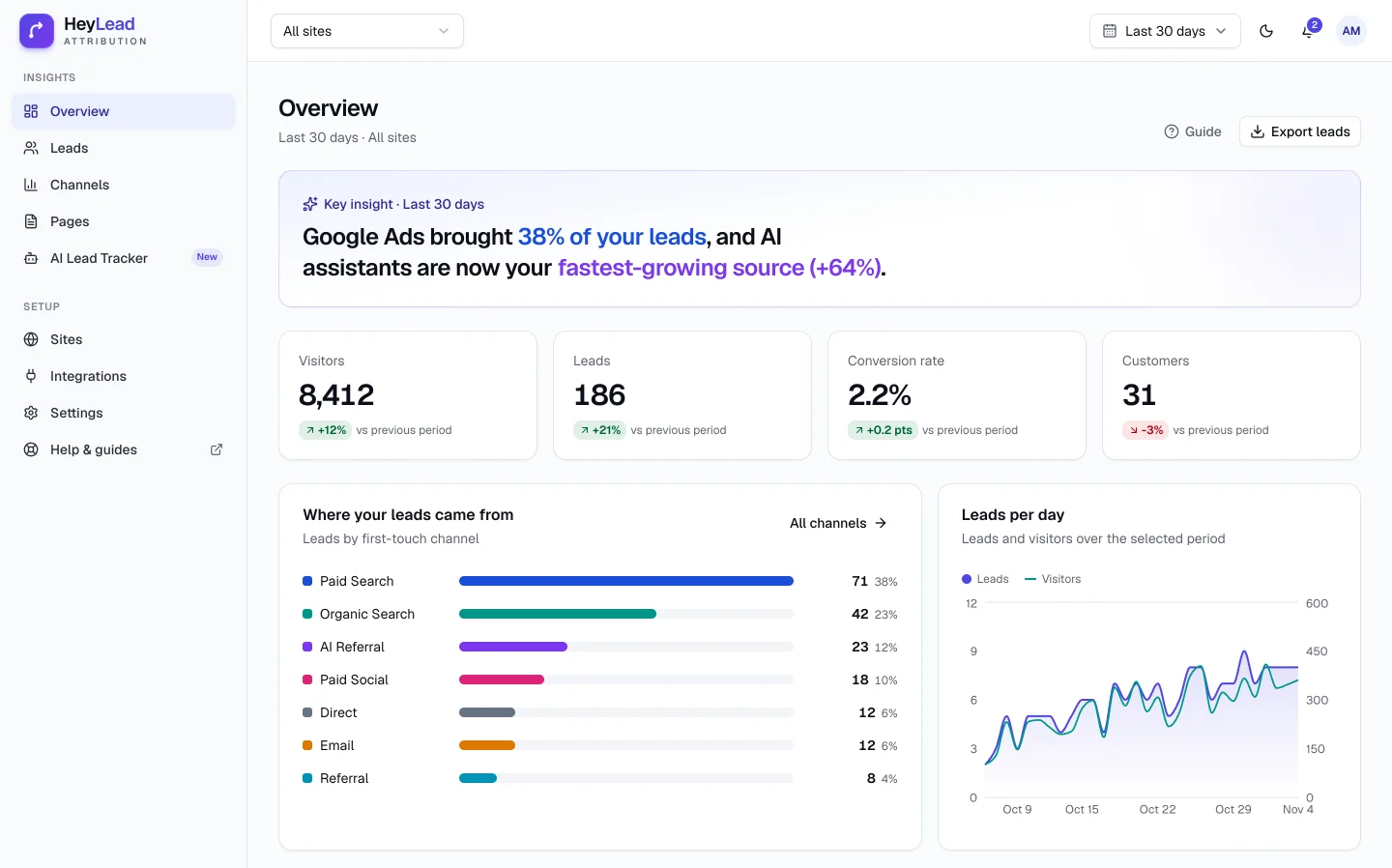
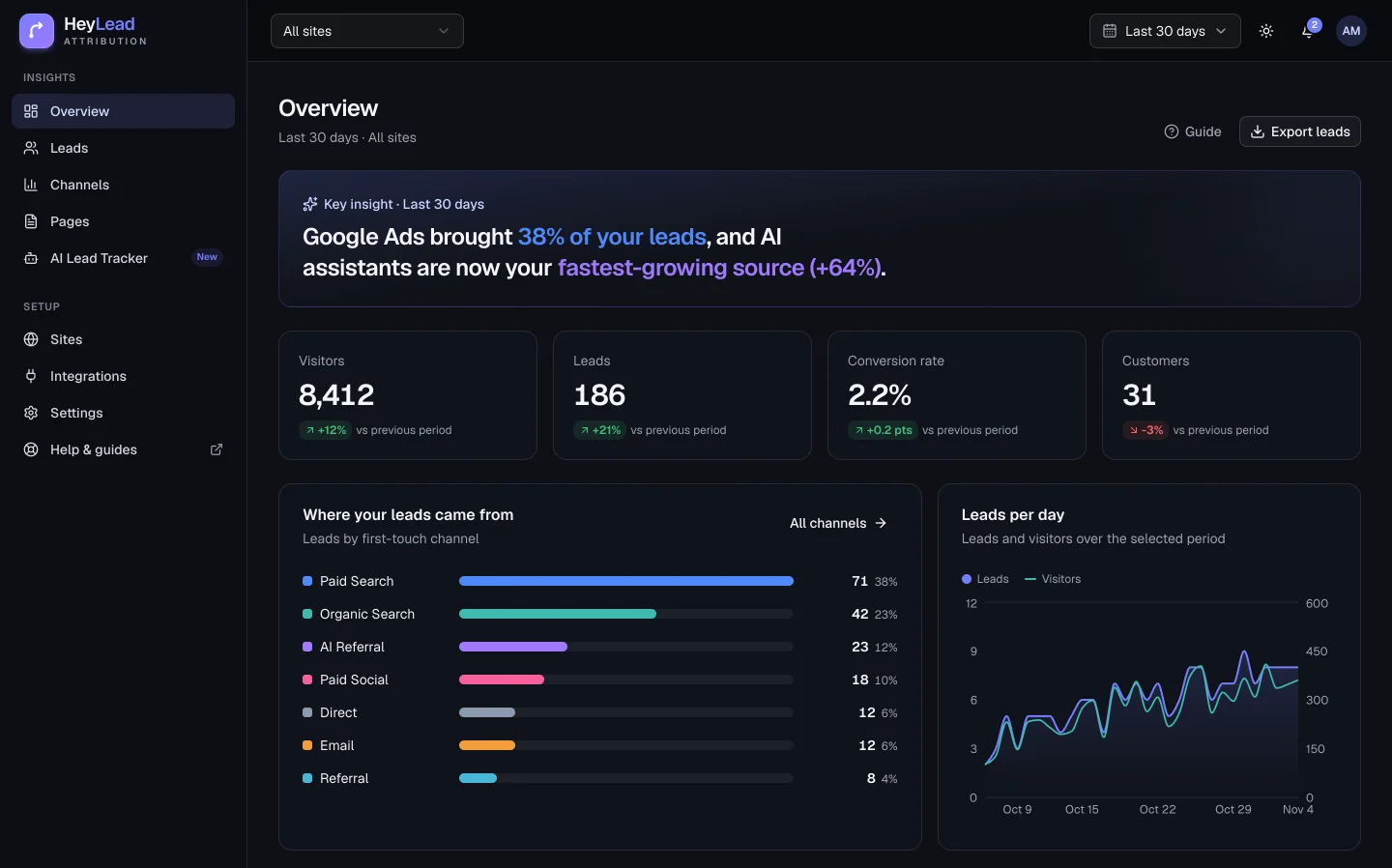
A one-minute tour of the HeyLead dashboard: the Overview, finding any lead, a lead's full journey, comparing channels and the AI Lead Tracker.
See all featuresWhy it matters
Most enquiries arrive marked “Direct”. That doesn’t tell you anything.
When you can’t see where leads come from, money goes to whichever channel shouts loudest, not the one that brings you customers.
- See which ad, post or search brought each enquiry
- Stop paying for campaigns that never bring a customer
- Show your partner, boss or clients what’s working
Your CRM today
Priya Shah
- Lead source
- Direct
- Campaign
- Not recorded
- Pages viewed
- Unknown
- Came back?
- Unknown
With HeyLead
Priya Shah
- Found you
- Organic Search
- Converted
- Paid Search
- Campaign
- emergency-plumber
- Journey
- 3 visits · 6 days
Set up in minutes
Connect your website once. HeyLead handles the rest.
You don’t need a developer, a tag manager or any changes to your forms.
- 01
Connect your website
Install the WordPress plugin, or paste one line into your site settings. You don't need a developer.
- 02
HeyLead finds your forms
Contact, quote, booking and demo forms are picked up on their own. There's nothing to map or edit.
- 03
Every lead shows where it came from
Each enquiry appears in your dashboard with its channel, campaign and every visit before it. You can send it on to your CRM too.
- Custom-built site? Add one script tag and you're done.
acme-plumbing.com
Connected with the WordPress plugin
3 forms found automatically
- 41 leads
Contact us
/contact
- 27 leads
Request a quote
/quote
- 12 leads
Book a call
/book
Lead journeys
See every visit before someone got in touch
Most people visit a few times before they fill in a form. HeyLead keeps every visit, so you can see that a blog post first brought someone in and an ad brought them back.
- The first visit, the last visit and every one in between
- The pages they read, the device they used and the days they took
- An email as soon as a new lead arrives, with where it came from
Priya Shah
3 visits over 6 days · Mobile
Found you on GoogleOct 17
Read /blog/burst-pipe-what-to-do
Came back directlyOct 19
Checked /reviews and /pricing
Clicked a Google AdOct 23
Campaign emergency-plumber · "24 hour plumber"
- ✓
Became a lead
Request a call back · sent to HubSpot
AI assistants sent 23 leads
Example report
AI Lead Tracker
Find out if ChatGPT is recommending you
More people now ask ChatGPT or Perplexity for a recommendation, then click through to a website. HeyLead marks those visits, so you can see which AI assistants send you leads and which of your pages they link to.
- ChatGPT
- Perplexity
- Gemini
- Copilot
- Claude
Also included
Made for business owners, not analysts
You get the answer first. The detail is there when you want it.
Setup that checks itself
Install a plugin or paste one line into your site settings. HeyLead then confirms your site is connected, lists the forms it found and shows your first lead.
- Site connected
- 3 forms found
- First lead tracked
Your forms, captured automatically
Works with the forms already on your WordPress, Webflow, Wix, Shopify or custom-built site, with no hidden fields. Send each lead to your CRM with a webhook or Zapier.
Group visits your way
Make your own groups, like one partner, an event or a single affiliate, without building workflows in your CRM.
Room for your team
Invite people as admins, members or viewers. Multi-site plans cover up to 50 websites in one account.
Careful with your visitors' data
Tracking data lives on your own domain, visitor IP addresses are never stored, and you can delete any lead's data when someone asks.
Won't slow your site down
The script is a few kilobytes and loads in the background, so your pages and forms work exactly as before.
≈3 KBscript, compressed
Pricing
Simple plans. Every feature on every plan.
Try any plan for 14 days for $2.99. After that it carries on with the plan you picked, unless you cancel. You can cancel at any time.
- Automatic form capture, no code
- Every lead's source, campaign and journey
- AI Lead Tracker (ChatGPT, Perplexity, Gemini…)
- Webhooks, Zapier and CSV export
- Hidden fields for your CRM
- Custom channel rules
FAQ
Common questions
Short answers to what business owners ask us most.
What is lead attribution software?
Lead attribution software records where each lead came from, such as a Google ad, a search, a social post, an email or an AI assistant, and attaches it to the lead itself. HeyLead does this automatically for every form on your website, so you can see which marketing actually brings enquiries.
How is HeyLead different from Google Analytics?
Google Analytics counts visits. HeyLead puts the source on each real lead, so you can see that Priya came from a Google ad, and send that to your CRM.
Do I need a developer to set it up?
No. Install the WordPress plugin, or paste one line into your site settings. HeyLead finds your forms on its own, and the setup screen tells you when everything is working.
Which forms and CRMs does it work with?
Any form on your own website, including Gravity Forms, Elementor, Contact Form 7, Webflow, Wix, Shopify and custom React forms. Forms that sit inside a frame from another site, like Typeform or Jotform, are connected with hidden fields instead. Leads can go to HubSpot, Zoho or any other CRM through a webhook or Zapier.
What happens when my 14-day trial ends?
Your subscription starts on the plan you picked, and we email you 3 days before. If you cancel first, your forms keep working, tracking stops and your dashboard becomes read-only. We keep your data for 90 days so you can export it or come back.
Is it GDPR compliant?
HeyLead is built to help you comply. It stores tracking data on your own domain, never stores visitor IP addresses, has a consent mode that works with your cookie banner, and lets you delete any lead's data. A Data Processing Addendum is part of the terms on every plan.
Can I cancel anytime?
Yes. Cancel from your billing page whenever you like, and your plan keeps working until the end of the period you paid for. Payments aren't refunded, except for billing mistakes or where the law requires it. See our refund policy for details.
Get started
Find out where your next customer comes from.
Connect your website in minutes. From then on, every new lead shows which ad, search, post or AI assistant brought it.
- 14-day trial for $2.99
- Every feature on every plan
- Set up in minutes, no code
- Cancel anytime